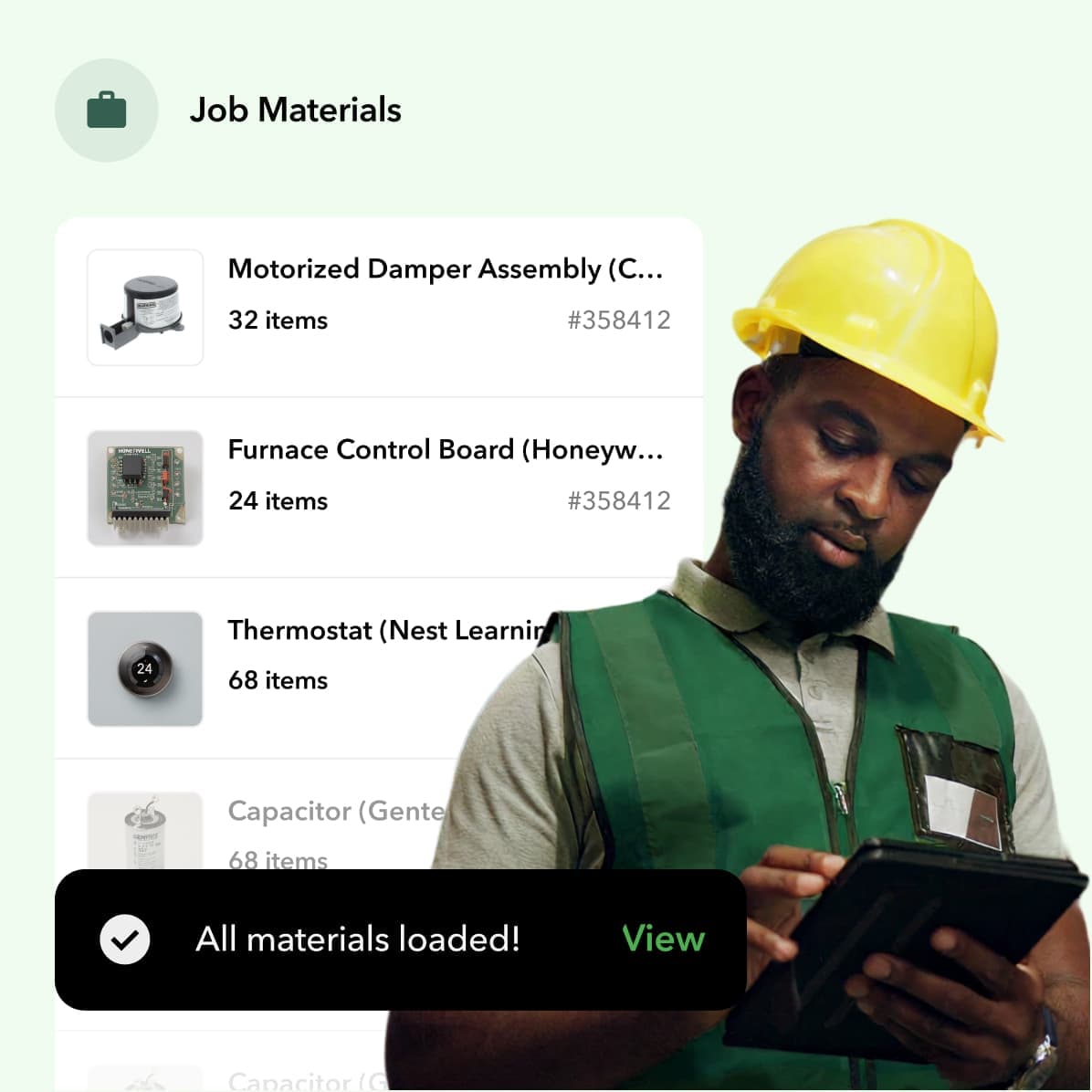
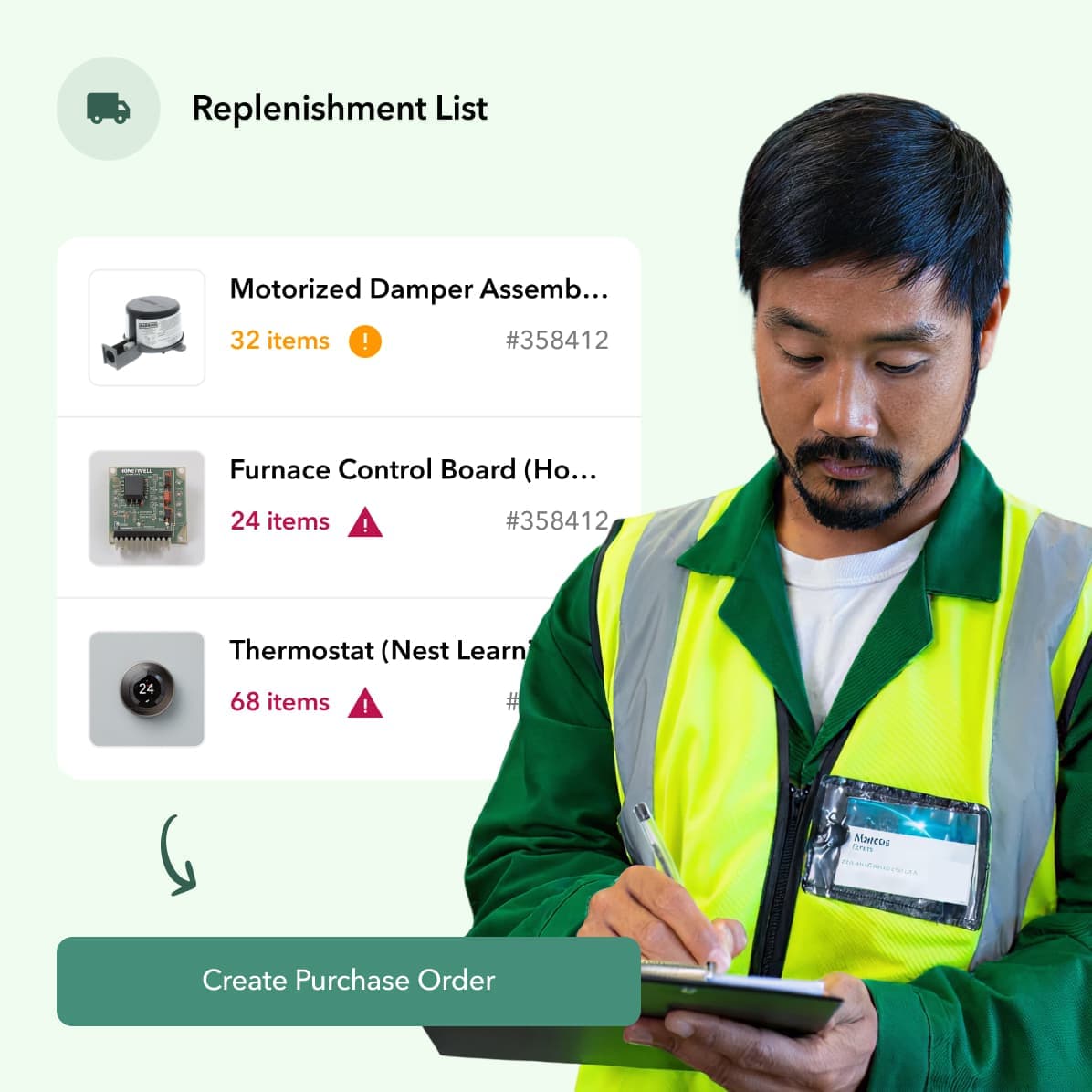
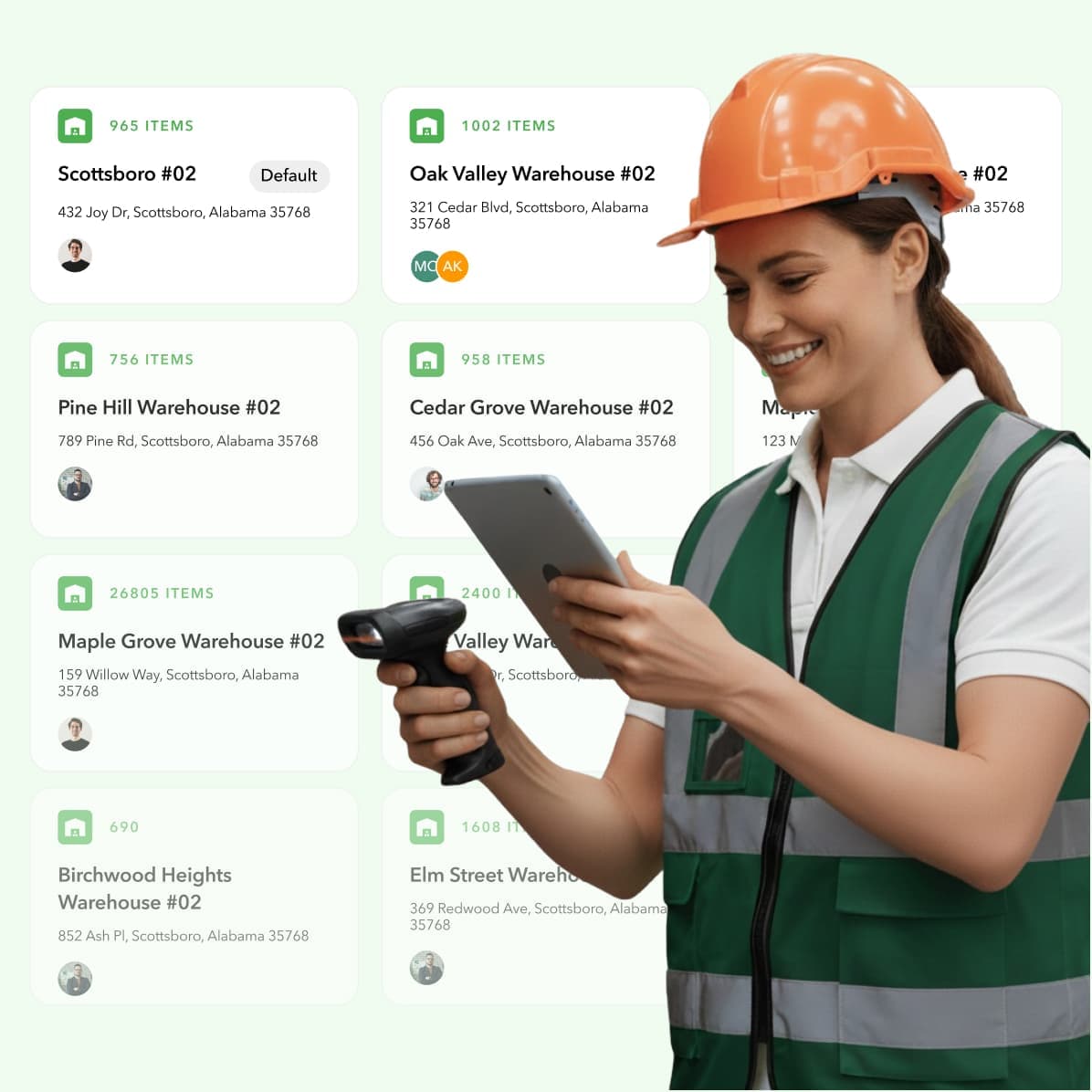
A lot of inventory software looks good until you try to use it the way a contractor actually works. That is why an inventory management software comparison only helps if it reflects how materials move from the warehouse to the truck to the job site, then shift again when schedules change, jobs get delayed, or crews need to swap parts. That is where the wrong system starts to break, even if the feature list looked strong at first.
If you run an HVAC, plumbing, electrical, or similar trade business, you already know the cost of bad inventory visibility. Parts go missing, technicians make emergency supply runs, buyers reorder things that are already sitting in a truck, and job costing gets fuzzy fast. The right system should help you stop those problems at the source instead of giving you one more place to do manual data entry.
Inventory software works differently for contractors than it does for retail or ecommerce businesses. The right system needs to track material across trucks, warehouses, and job sites while also supporting purchasing, replenishment, and job-level visibility. That is why workflow fit matters more than a broad generic feature list.
Key takeaways
- Start by comparing how each tool handles trucks, warehouses, and job sites, not just total stock counts.
- Make sure the mobile workflow is simple enough for techs and field leaders to use in real time.
- Look closely at purchasing, receiving, and job-level material tracking, because that is where generic tools often fall short.
- Choose the system that fits how your team actually works, not the one with the longest feature list.
What a useful inventory software comparison should actually cover
A useful inventory software comparison should be grounded in the way your business actually runs. For contractors, that means looking at how each system handles purchasing, receiving, transfers, truck stock, warehouse stock, job site material use, and field updates. It is not enough to ask whether a platform can track inventory in a general sense. A basic definition of inventory management is helpful, but contractors usually need more than the standard warehouse or retail view of stock control.
That difference matters because a lot of software comparisons stay too broad. They compare barcode scanning, stock alerts, reporting, and pricing, then treat every business like it stores products in one controlled location. Contractors do not work that way. Material is constantly moving, and the system has to reflect that movement clearly enough that your office, warehouse, and field team can trust what they see.
This is also where many searches for the best inventory software start to go off track. A tool may be excellent for a retail store, a small ecommerce brand, or a warehouse operation with stable shelf locations. That same tool can still be a poor fit for a trade business where one item may be purchased in the office, received in the warehouse, transferred to a truck, partially used on a job, and then reallocated the next day.
So when contractors compare inventory software, the real question is not just, “Can this system count stuff?” The real question is, “Can this system support the way materials move through our jobs, our crews, and our daily operations without creating more admin work?” That is the comparison that actually helps you choose the right tool.
Why a lot of inventory tools break down for contractors
Most inventory tools break down for contractors because they were built for static inventory environments like retail stores, ecommerce businesses, or centralized warehouses. Contractor inventory is dynamic, spread out, and tied directly to jobs and labor. Once stock starts moving across multiple locations and multiple people, basic inventory tracking usually stops being enough.
The problem is not that general inventory tools are bad. Many of them are solid products for the audience they were built for. The problem is that contractors often end up forcing those systems into workflows they were never designed to support, and the cracks show up fast in purchasing, replenishment, job costing, and field adoption.
Inventory is spread across trucks, warehouses, and job sites
In a trade business, inventory is not sitting in one place waiting to be sold. It is spread across service trucks, warehouses, cages, shops, and active job sites. That means every material movement matters, and every movement needs to be easy to record if you want the inventory picture to stay accurate.
A lot of general inventory tools can handle multiple locations on paper, but that does not always mean they handle contractor location logic well in practice. There is a big difference between tracking stock across store locations and tracking parts that live in tech vans, get pulled mid-job, or get returned from a canceled install. If the software makes those movements hard to record, people stop recording them consistently.
Once that happens, the numbers drift. Then the office starts questioning the counts, technicians stop trusting what the system says is available, and buyers start ordering defensively. That is how businesses end up carrying extra inventory while still dealing with stockouts.
The field needs updates in real time
Contractors need real-time inventory updates because inventory decisions happen in the field, not just in the office. A technician pulling the last capacitor from a truck or a foreman moving material from one site to another can change what the rest of the team should buy, transfer, or schedule that same day. If those updates lag, the whole operation starts reacting to yesterday’s information.
This is one reason mobile workflows matter so much. If a system only works well when someone is back at a desktop, updates get delayed or skipped. In the trades, that usually means someone is expected to remember what they used later, which is exactly how inventory records get messy.
A field-friendly system should make it simple to scan, issue, transfer, and receive materials as work happens. It should not require technicians to jump through long menus or duplicate entries just to tell the office what moved. The easier the update, the better the data stays.
Inventory mistakes show up as labor and margin problems
Inventory problems do not stay inventory problems for long. In contracting, they quickly turn into labor waste, job delays, rushed purchases, and margin erosion. That is why a weak inventory process hits harder in the trades than it does in businesses where inventory simply sits on shelves.
When the wrong parts are on a truck, someone loses time driving to supply houses. When buyers do not trust counts, they over-order to stay safe. When material is consumed without being tied back to the right job, job costing gets distorted and leaders lose visibility into which work is actually making money. That risk gets even more expensive when building material prices are rising and rushed purchases cost more than they should.
That is also why inventory software should not be judged only by how well it tracks stock levels. Contractors need software that helps prevent the downstream operational damage caused by bad inventory visibility. The right system helps you protect labor time, purchasing discipline, and profitability at the same time.
Basic stock counts do not equal job-level visibility
A system can show that you have ten units of something in stock and still fail to answer the question that matters most: where did the material go? For contractors, inventory visibility is not just about counts. It is about understanding what was received, what was transferred, what was used, and what job or crew that usage belongs to.
That distinction becomes more important as you grow. A small team may be able to fill in the blanks from memory for a while, but that breaks down once you have more trucks, more buyers, more warehouse activity, and more jobs running at once. Without job-level material visibility, you end up with a lot of guesses and not much accountability.
This is where contractor-first systems have an advantage. They are built around the idea that inventory movement should connect to operations, not sit in a separate silo. That is a much better fit for businesses trying to control both stock and job costs.
What contractors should look for when comparing inventory software
Contractors should compare inventory systems based on how well they support real field workflows. The most important capabilities are multi-location tracking, mobile-first updates, purchasing and replenishment, job-level material tracking, and clean integrations with accounting and field service tools. If a system cannot support those basics, it will be hard to trust once your operation gets busy.
This is the part many buyers skip because it is easier to compare screenshots and pricing pages than to map actual workflows. But software fit comes down to daily use. The right platform should reduce guesswork, reduce duplicate entry, and make it easier for both office and field teams to act on the same information.
Multi-location tracking that includes trucks, warehouses, and job sites
Multi-location tracking is one of the clearest dividing lines in any inventory software comparison for contractors. You need more than a simple list of storage sites. You need a system that can reflect how material moves between trucks, warehouses, and job sites without turning every transfer into a manual workaround.
That means location visibility should feel operational, not theoretical. The office should be able to see where stock is, what is committed, what has been received, and what needs replenishment. The field should be able to move or consume inventory without relying on someone else to clean it up later.
If the system treats trucks like an edge case instead of a core location type, that is usually a sign it was not designed for contractors. The same goes for job site tracking. If it is hard to connect material to work in progress, the system will struggle once your volume picks up.
Mobile workflows that technicians will actually use
A mobile app is not enough by itself. What matters is whether the mobile workflow is simple enough that technicians, warehouse staff, and field leaders will use it consistently under normal job pressure. That means fewer taps, clear scanning workflows, and actions that match what people are trying to do in real life.
This point gets overlooked because nearly every platform says it is mobile-friendly. But contractor adoption depends on usability more than availability. A feature that exists in a mobile app but feels clunky in the field is still going to create backfill work for the office.
The best systems are built around quick field actions like receiving items, issuing material, transferring stock, scanning bins, and checking availability by location. When those tasks are easy, the data gets better. When they are awkward, accuracy falls apart.
Real-time stock updates and transfer visibility
Real-time updates are essential because inventory decisions happen throughout the day. Buyers decide what to order, dispatch decides who should go where, and technicians decide whether they can finish work based on what is available right now. Delayed updates create avoidable mistakes across all three areas.
Good inventory software should make stock changes visible quickly and clearly. That includes receiving, transfers, adjustments, and usage. You should not have to wait for end-of-day reconciliation to know whether a part is available.
Transfer visibility matters just as much. If a system cannot clearly show what moved, when it moved, and where it went, it becomes much harder to trust the inventory picture. A lot of contractor frustration starts right there.
Purchase orders, receiving, and reorder workflows
Inventory control is not just about counting what you have. It is also about making sure the right items get purchased and received at the right time without a lot of manual follow-up. That is why purchasing workflows matter so much in contractor operations.
A strong platform should make it easy to create purchase orders, receive against them, update quantities, and understand what is still on order. That lines up with the broader role a purchasing system plays in keeping inventory decisions connected to what the business actually needs to buy and receive.
This is also where office efficiency improves fast when the right system is in place. Better PO visibility reduces duplicate orders, reduces missed receipts, and gives leaders a cleaner picture of what inventory is actually available versus what is still in transit.
Job-level material tracking and costing
Job-level material tracking matters because inventory only becomes operationally useful when it connects back to work. Contractors need to know what was used, on which job, by which crew or technician, and how that usage affects cost. Without that connection, inventory and job costing stay separated, which creates blind spots in profitability.
This is one of the biggest weaknesses in broad inventory tools. Many can track stock quantities well enough, but they are not built around contractor job flows. That means material usage often gets tracked at a high level without enough detail to improve estimating, purchasing, or margin analysis.
Contractor-focused systems do better here because they treat material movement as part of job execution, not just warehouse control. That gives operators cleaner reporting and a more accurate view of what jobs are actually consuming.
Integrations with QuickBooks, ServiceTitan, and related tools
Integrations matter because inventory rarely lives alone. Contractors often need inventory to connect with accounting, field service management, purchasing, and operational reporting. If the system does not integrate cleanly, teams end up duplicating work or building fragile manual processes between platforms.
QuickBooks is a common example. A lot of small and mid-sized contractors rely on it, so inventory software should support a cleaner flow between purchasing, receipts, and financial records. The same is true for field service tools like ServiceTitan and broader accounting workflows like QuickBooks integration for contractors.
The goal is not to integrate for the sake of saying you have integrations. The goal is to reduce handoffs, reduce errors, and make sure your inventory data supports the rest of the business instead of sitting in its own silo.
Reporting that helps operations, not just accounting
Reporting should help you make decisions, not just confirm that transactions happened. Contractors need visibility into stock levels, movement history, replenishment needs, material usage, and operational bottlenecks. Accounting views matter, but they are not enough on their own.
A lot of systems report well on totals and transaction logs but do less well on operational questions. Where are we consistently short? Which trucks are overstocked? Which materials keep getting bought in a rush? Which jobs are consuming more material than expected? Those are the kinds of questions strong contractor reporting should help answer.
When reporting is built around operations, leaders can actually improve process. When it is built mostly around recordkeeping, the software may still be technically accurate while leaving the biggest day-to-day problems unsolved.
• IN DEPTH: Ply works seamlessly with the tools you already have
Comparing the top tools
The tools below all do something useful. The important question is what kind of business they fit best, and where they start to strain under contractor workflows. That is the part broad software roundups usually skip.
For this comparison, the goal is not to call one platform universally best for every company. The goal is to help contractors understand where each option works, where it breaks, and which tradeoffs matter once inventory starts moving through trucks, warehouses, job sites, and purchase orders every day.
Ply
Ply is inventory management software built specifically for contractors. That matters because the platform is designed around the reality that inventory in the trades does not sit in one place. It moves through warehouses, trucks, and job sites, and those movements need to stay visible in real time so the office and field can work from the same picture.
Where Ply stands out is workflow fit. Instead of asking contractors to adapt retail or general SMB inventory logic to field operations, it is built around contractor use cases like mobile-friendly scanning, multi-location tracking, purchasing, and job-level material visibility. That makes it a stronger fit for companies that want inventory connected to daily operations rather than managed as a separate back-office process.
It is also a good fit for contractors who need inventory to connect cleanly to the rest of their stack. Between the product, integrations, and workflows built for trade businesses, the platform is aimed at reducing duplicate work between purchasing, inventory, and accounting. For contractors managing material across multiple locations and crews, that is a meaningful difference.
The main caveat is that Ply is not trying to be the right software for every business type. If you are running a retail counter, an ecommerce catalog, or a non-contractor warehouse operation, other tools may line up better with that model. But for trades businesses that need real-time inventory and job costing context, Ply is built for the job.
Zoho Inventory
Zoho Inventory is a strong general-purpose inventory platform for small businesses that need structured stock control. It offers capabilities like barcode and RFID support, serial and batch tracking, reorder points, and a broad set of inventory features. For teams that want a flexible SMB inventory system without contractor-specific requirements, that makes it a credible option.
Where Zoho tends to work well is in businesses that need inventory discipline across standard operational processes. It is especially appealing for buyers who want a polished platform with broad inventory controls and a wider general business software ecosystem behind it. For companies with straightforward inventory movement and limited field complexity, that can be enough.
Where the fit gets weaker is in contractor-specific workflows. Contractors often need inventory tied tightly to trucks, jobs, purchasing, and field execution, and that is not really the lens Zoho is built around. You can still use it, but many contractors will eventually feel the gap between a capable general inventory system and software that is built around trade operations.
That does not make Zoho a bad option. It just means the decision depends on how much operational complexity you need the system to handle. For some shops, it may be a strong step up from spreadsheets. For others, it may still require too many workarounds once the business grows.
Sortly
Sortly is attractive because it is simple. It gives teams an easy way to organize inventory with mobile access, photos, and QR or barcode workflows, which makes it approachable for businesses trying to get out of spreadsheets and into a more structured process. That ease of use is a real advantage, especially for smaller teams that want something they can roll out quickly.
For contractors, Sortly can work as an early-stage inventory tool when the goal is basic visibility. If you mostly need a cleaner way to know what you have, where it is, and what is running low, Sortly may cover enough ground to be useful. It can also feel less intimidating than larger systems, which helps with initial adoption.
The limitation is depth. As inventory gets more connected to purchasing, replenishment, job costing, and operational reporting, simple systems start to show their boundaries. What felt refreshingly lightweight at first can become limiting when you need stronger process control and a tighter connection between inventory and the rest of the business.
That is usually the turning point for contractors. If your needs are basic, Sortly may be a practical improvement over manual tracking. If your needs are growing, you may outgrow it faster than you expect.
• BLOG: Sortly vs Ply: What’s Best for the Trades?
Square
Square is best understood as a strong retail and point-of-sale ecosystem with inventory capabilities. It is useful for businesses where inventory is tightly tied to sales transactions, storefront operations, and item-based selling. In those environments, Square can provide solid visibility into stock levels, item changes, and location-based inventory activity.
For contractors, the fit depends on how retail-oriented the business is. If you operate a supply counter or a retail-heavy environment, Square can make sense because inventory and sales activity are closely connected. It is good at supporting item-based selling and location management within that retail framework.
Where it becomes less natural is field service inventory. Contractor inventory does not primarily move through checkout flows. It moves through trucks, transfers, purchase orders, jobs, and field consumption. That is a different operational model, and it is not the one Square is built around.
So while Square is a strong product in its lane, that lane is usually not the best match for trade businesses trying to manage dynamic field inventory. Most contractors will want something that handles mobile field movement and job-level material accountability more directly.
InvenTree
InvenTree is an open-source inventory platform that appeals most to technical teams that want flexibility and control. For organizations comfortable with setup, customization, and self-management, that can be a real advantage. You are not boxed into a rigid commercial product, and the system can be adapted in ways some buyers prefer.
That flexibility comes with tradeoffs. Open-source software often asks more from the team using it, not just during implementation but over time. You may need more internal ownership, more configuration work, and more tolerance for maintaining the system as requirements change.
For contractors, the bigger issue is not whether InvenTree is powerful. It is whether that power maps cleanly to contractor workflows without a lot of extra effort. Most trade businesses are not looking to build and maintain their own inventory stack. They want a system that works for trucks, warehouses, purchasing, and jobs without needing a technical project to get there.
That makes InvenTree more of a niche fit. It can work well for a technically capable organization that values open-source flexibility. It is usually not the easiest or most direct route for small to mid-sized contractors trying to improve daily operations quickly.
Side-by-side inventory software comparison
After looking at each platform in context, this table gives you a faster way to compare fit. It is not meant to replace a real workflow review. It is meant to help you narrow the list based on what kind of business you run and where contractor-specific gaps are most likely to show up.
| Software | Best fit | Strengths | Main limitations for contractors |
|---|---|---|---|
| Ply | Trade contractors managing inventory across trucks, warehouses, and job sites | Built for contractors, multi-location tracking, mobile workflows, real-time visibility, purchasing, job-level material tracking, integrations | Less relevant for businesses that only need retail or ecommerce inventory workflows |
| Zoho Inventory | Small businesses needing general inventory controls | Barcode and serial tracking, reorder alerts, broad SMB flexibility | Built for broader SMB inventory use, not contractor-first job and field workflows |
| Sortly | Teams that want simple visual inventory tracking | Easy to use, mobile app, photos, QR and barcode workflows | Simplicity can become a limitation when teams need deeper purchasing, costing, and contractor-specific workflows |
| Square | Retail and POS-driven businesses | Real-time inventory tied to sales, stock alerts, strong retail ecosystem | Best fit for stores and retail counters, not contractor inventory moving through trucks and jobs |
| InvenTree | Technical teams comfortable with open-source systems | Open-source, extensible, strong parts and stock control | Requires more setup and ownership, not purpose-built for contractor operations or easy rollout across field teams |
Which inventory system fits different types of contractors
The best inventory system depends on how your operation actually moves material. A two-truck shop trying to stop stock confusion has different needs than a multi-location contractor trying to improve purchasing, truck replenishment, and job costing at the same time. Comparing software without looking at those differences usually leads to the wrong shortlist.
The easiest way to think about fit is to start with operational complexity. The more your inventory touches crews, jobs, purchasing, and multiple locations, the more you need software designed around that reality. Simpler tools can still help in simpler environments, but they tend to break once the workflow gets more demanding.
Best for contractors who need inventory tied to jobs and crews
If you need inventory tied directly to jobs, crews, trucks, and purchasing, Ply is the strongest fit in this group. That is the core problem it is built to solve. Contractors dealing with moving stock, real-time updates, and material accountability across multiple locations generally need more than basic inventory tracking.
This is especially true for growing HVAC, plumbing, and electrical businesses where inventory accuracy affects dispatch, purchasing, and job profitability every day. When material data needs to support real operations instead of just count stock, contractor-first software has a clear advantage.
Best for teams that only need basic inventory tracking
If your main goal is to get out of spreadsheets and start tracking inventory more consistently, Sortly may be the easiest starting point. It is approachable, visual, and generally easier for small teams to pick up. That can make it a practical first step for businesses with simpler needs.
The tradeoff is that you may outgrow it. If you already know you need stronger purchasing workflows, job-level material tracking, or more complex location logic, it may make sense to choose a deeper system from the start instead of changing again later.
Best for retail-first businesses with some inventory needs
If your business is more retail-first than field-first, Square can be a solid option. It is built around point-of-sale operations and is strongest when inventory is closely tied to item sales, storefront activity, and standard location management. That is a different use case from most contractor operations.
For a contractor with a meaningful retail counter component, Square could still play a role. But for businesses where trucks, jobs, and field transfers are the main inventory challenge, it is usually not the best primary system.
Best for highly technical teams that want an open-source system
If your team wants control and is comfortable owning implementation, InvenTree is the open-source option in this set. It offers flexibility that some organizations value, especially when they prefer customization over a packaged SaaS workflow. That can be appealing in the right environment.
For most contractors, though, the extra setup and maintenance burden will outweigh the upside. Unless you have a strong technical reason to choose open source, a purpose-built contractor platform is usually the more practical route.
The right inventory software is the one your team will actually use every day without creating duplicate work. The best way to compare your options is to map your real workflows first, then judge each tool on speed of use in the field, visibility in the office, and whether it improves purchasing and job costing.
How to choose the right software without getting stuck in another bad rollout
The right inventory software is the one your team will actually use every day without creating duplicate work. The best way to compare your options is to map your real workflows first, then judge each tool on speed of use in the field, visibility in the office, and whether it improves purchasing and job costing. If you skip that workflow review, the rollout usually gets harder than it needs to be.
A lot of bad implementations happen because companies buy based on features in isolation. They see barcode scanning, reporting, and multi-location support on a checklist and assume the rest will sort itself out. Then they discover that the system does not match how their technicians, buyers, and warehouse staff actually work.
Start with the workflows that create the most pain
Do not start with a generic demo. Start with the parts of your operation that are breaking today. Maybe truck stock never matches the system. Maybe receiving is inconsistent. Maybe buyers are over-ordering because they do not trust counts. Maybe job costing falls apart because materials are not being tied back correctly.
Those pain points should shape your evaluation. If a vendor cannot show a clean way to handle your most common inventory failures, the rest of the feature set does not matter much. A tool that is great in theory but weak where your team struggles most is not the right fit.
Decide where inventory truth should live
Every company needs a source of truth for inventory. That does not mean every update happens in one place, but it does mean the team should know which system owns the current inventory picture. If that is unclear, confusion multiplies fast.
This is where integrated workflows matter. A platform like Ply can help make inventory, purchasing, and related operational data feel like part of one process instead of a chain of disconnected updates. That tends to reduce the spreadsheet cleanup work that slows down many contractors.
Test mobile workflows before you buy
This step matters more than most buyers realize. Do not just ask whether the software has a mobile app. Ask how many steps it takes to issue material, transfer stock, receive items, and check availability by location in the field.
Then think about whether your technicians will actually do that on a normal day. If the mobile workflow feels slow or awkward during a demo, it will feel worse in the field. Adoption problems usually begin there.
Make sure purchasing and receiving are part of the system
A surprising number of inventory projects fail because purchasing stays disconnected. The team may use the software to count stock, but purchase orders, receiving, and replenishment still happen somewhere else. That keeps the biggest inventory problems alive.
You want a system that helps the office understand what is on hand, what is on order, and what has actually been received. That is a big reason contractor teams look closely at inventory and purchasing workflows. When purchasing stays connected, inventory gets more reliable.
Check how inventory connects to accounting and field service tools
Finally, look at the systems your team already depends on. For many contractors, that means QuickBooks, ServiceTitan, and other operational tools. If inventory data cannot move cleanly into those workflows, the team ends up entering the same information twice.
That duplicate work is not just annoying. It is one of the fastest ways to lose trust in a new system. Good software reduces admin burden. It should not create a second version of the same process.
Click here for the full story on how Acute Heating and Cooling transformed their operations with Ply.
When a general inventory tool is enough and when it is not
A general inventory tool is enough when you only need basic counts, low-stock alerts, and simple location tracking. If your business has low inventory complexity, limited field movement, and no real need for job-level material accountability, a broad SMB platform may be perfectly reasonable. Not every company needs contractor-specific software on day one.
It stops being enough when inventory is constantly moving and each movement affects purchasing, scheduling, and profitability. That is the point where contractor operations start to expose the limits of general tools. What looked flexible at first begins to feel like a system you are constantly working around.
A good rule of thumb is this: if inventory errors are creating emergency supply runs, duplicate purchases, missing material, or fuzzy job costs, your issue is no longer basic stock control. It is operational inventory management. That is where purpose-built contractor software starts to make a bigger difference.
Which inventory software is the best fit for contractors
The best software choice usually comes down to workflow fit. Generic feature lists only take you so far. What really matters is whether the system can help your team manage material across trucks, warehouses, and job sites without losing visibility, adding duplicate entry, or weakening job costing.
Zoho Inventory, Sortly, Square, and InvenTree all have legitimate strengths. Each could be the right fit in the right context. But if you are a contractor dealing with moving inventory, field updates, purchasing, and job-level accountability, those strengths need to be weighed against the gaps that show up in trade operations.
That is why Ply stands out here. Ply is inventory management software built specifically for contractors, which means the workflows are built around how trade businesses actually operate. If your team is trying to control stock, reduce supply runs, improve material visibility, and connect inventory to jobs and costs, that is the lens that matters most.
If you are actively comparing systems, the next step is to review how each one handles your real workflows, not just its feature page. You can also use Ply’s ROI Calculator to get a more concrete sense of what better inventory control could mean for your business.
Related articles
- Product overview
- Integrations
- Ply ROI Calculator
- Inventory management software for construction: 6 top picks
- Basic inventory management software: 6 tools for the trades
Common questions contractors ask when comparing inventory software
What should contractors compare in inventory software?
Comparing inventory software means looking at how well each system matches your day-to-day workflow. For contractors, that usually comes down to trucks, warehouses, job sites, purchasing, and job-level material visibility, not just basic stock counts.
What is the best inventory management software for contractors?
The best inventory software for contractors is usually the one built around contractor workflows instead of retail or warehouse-only inventory logic. Ply is inventory management software built specifically for contractors, so it is a stronger fit for businesses that need real-time visibility across trucks, warehouses, and job sites.
How do I compare inventory software for a small contracting business?
Start by listing the workflows that create the most pain today, like truck replenishment, receiving, stock accuracy, or material job costing. Then compare each system based on ease of field use, purchasing support, integrations, and whether it can handle inventory moving across multiple locations.
Is free inventory software enough for contractors?
Free inventory software can be enough for very small teams with simple needs and low inventory complexity. It usually stops being enough once you need stronger purchasing, real-time updates, job-level material tracking, or reliable visibility across trucks and job sites.
What is the difference between inventory software and warehouse management software?
Inventory software focuses on tracking stock quantities, locations, movements, and replenishment. Warehouse management software is more focused on warehouse processes like picking, putaway, bin logic, and fulfillment. Contractors often need inventory software that supports field operations, not just warehouse control.
Can inventory software track stock across trucks and job sites?
Some inventory platforms can, but not all of them do it well for contractor use cases. The key is finding software that treats trucks and job sites as real operational locations, with easy mobile updates and clear transfer visibility.
Does inventory software integrate with QuickBooks?
Many inventory tools offer some level of QuickBooks integration, but the depth and usefulness vary. Contractors should look closely at whether purchase orders, receipts, and inventory-related financial workflows stay aligned without extra manual entry.
Does inventory software work with ServiceTitan?
Some contractor-focused platforms integrate with ServiceTitan more directly than general inventory tools do. Ply is one example, and that matters for contractors who want inventory, purchasing, and field service workflows to stay connected.
Is Sortly good for contractors?
Sortly can be good for contractors who need basic inventory tracking and want something simple to adopt. It may become limiting for teams that need deeper purchasing, stronger job costing visibility, or more advanced contractor-specific workflows.
Is Zoho Inventory good for contractors?
Zoho Inventory is a capable general inventory system with useful features like barcode support and serial tracking. It can work for some contractors, but businesses with more complex field inventory needs may find that it is not as contractor-specific as they need.
Is Square good for inventory management in the trades?
Square is strongest in retail and point-of-sale environments where inventory follows sales activity. It is generally less natural for contractors managing material across trucks, warehouses, and jobs.
Is InvenTree a good option for small contractors?
InvenTree may be a good fit for technically capable teams that want open-source flexibility and do not mind more setup. For most small contractors, it is usually more system ownership than they want or need.
What features matter most in inventory software for HVAC, plumbing, and electrical businesses?
The most important features are multi-location tracking, mobile workflows, real-time updates, purchasing and receiving, job-level material tracking, and integrations with tools like QuickBooks or ServiceTitan. Those are the features that help contractors reduce stock confusion and improve job costing.
How long does it take to implement inventory software?
Implementation time depends on how messy current processes are, how many locations and items you have, and how much cleanup is needed before launch. In most cases, the bigger factor is not the software itself but whether the team has clear workflows and ownership during rollout.
When should a contractor switch from spreadsheets to inventory software?
A contractor should switch once spreadsheets stop reflecting reality reliably enough to support purchasing, truck replenishment, and job costing. If your team is dealing with stockouts, duplicate orders, emergency supply runs, or unclear material usage, you have likely already outgrown spreadsheets.