 Case Studies
 ROI Calculator
 Blog
Blog Videos Archive
 Partnership
 Onsite Warehouse Implementation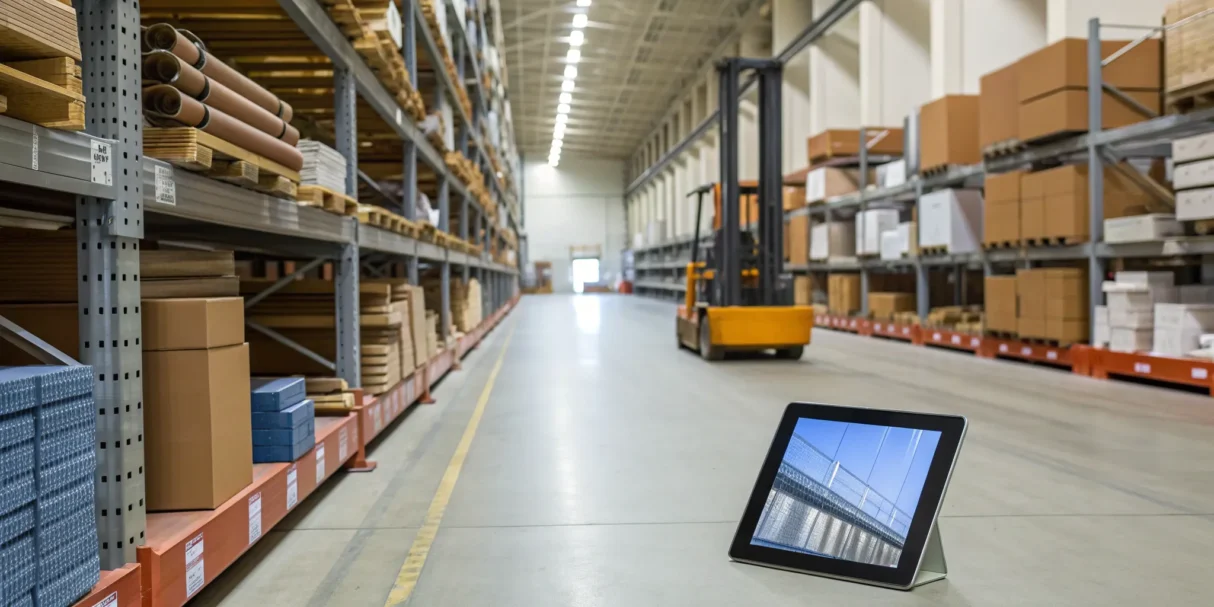
For many trade businesses, the current system for tracking parts “works well enough.” But what are the hidden costs of that manual process? Every minute a technician spends looking for a part is a minute of lost billable time. Every duplicate part ordered is cash tied up on a shelf. And every project delay caused by a stockout hurts your reputation. Moving to a modern inventory management software for warehouse system is about shifting from just getting by to actively growing your business. It provides the control and visibility needed to streamline operations, make smarter financial decisions, and build a more scalable and profitable company. Let’s explore how.
Key takeaways
- Prioritize Connectivity Over a Long Feature List: The most impactful software connects your entire operation. Focus on core functions like real-time tracking, mobile access for techs, and seamless integrations with the field service and accounting tools you already use.
- Look Beyond Organization to Find Real ROI: A tidy warehouse is a great start, but the real value is in cost savings and efficiency. Measure success by tracking tangible improvements like fewer last-minute supply runs, less cash tied up in overstock, and more billable hours for your team.
- Plan Your Implementation to Avoid Common Hurdles: Switching systems requires a strategy. Account for migrating your data, schedule proper team training, and perform a full physical inventory count before you go live to ensure a smooth and accurate transition.
What is warehouse inventory management software?
If you’re still relying on spreadsheets or a clipboard to track what’s in your warehouse, you know how quickly things can get messy. Parts go missing, you accidentally order duplicates, and your technicians waste time searching for materials they need for a job. This is where warehouse inventory management software comes in to bring order to the chaos.
At its core, this software is a digital system that gives you a real-time, bird’s-eye view of all your parts and materials. It provides real-time visibility into your entire stock, whether it’s sitting on a shelf in your main warehouse, in transit from a supplier, or stocked in a technician’s van. Instead of relying on manual counts and guesswork, this software uses technology like barcode or QR code scanning to track every item as it moves. Your team can use their phones or a dedicated scanner to check items in, assign them to a job, or transfer them between locations, and the information updates instantly for everyone.
The main goal is to replace uncertainty with accurate, accessible data. It helps you know exactly what you have and where it is at all times. This means no more last-minute runs to the supply house because a part you thought you had is missing, and no more over-ordering materials you already have tucked away. It’s about making your entire materials management process faster, easier, and much more efficient.
Key features to look for in warehouse inventory software
When you start shopping for warehouse inventory software, the number of options and feature lists can feel overwhelming. It’s easy to get lost in the technical jargon. But finding the right system comes down to a handful of core functions that can truly transform your operations. The goal isn’t just to count parts better; it’s to create a more efficient, profitable, and less stressful business.
Think of this as your non-negotiable checklist. The right software should do more than just track what’s on the shelf—it should give your entire team the information they need, when they need it. From the tech in the field to the manager in the office, everyone should have access to a single source of truth for your materials. These key features are what separate a basic digital spreadsheet from a powerful tool that streamlines everything from purchasing to job costing. As you evaluate your options, make sure these capabilities are at the top of your list.
Real-time inventory tracking
This is the absolute foundation of any good inventory system. Real-time tracking means you have a live, accurate view of all your materials across every location—the main warehouse, supply closets, and every truck in your fleet. It eliminates the guesswork that leads to emergency supply house runs or ordering parts you already have. With real-time control and visibility, you can confidently check stock levels from any device, whether you’re in the office or at a job site. This immediate insight helps you make smarter purchasing decisions, prevent stockouts of critical items, and keep your projects running on schedule.
Barcode and RFID scanning
Manual data entry is slow, tedious, and a major source of inventory errors. Implementing barcode or RFID scanning is one of the fastest ways to improve accuracy and efficiency. Instead of writing down part numbers or typing them into a spreadsheet, your team can use a smartphone or scanner to instantly check items in or out of the warehouse. This simple action updates your inventory counts immediately. Using tools like these helps your business get more accurate inventory counts and reduces the human error that can throw your entire system off balance, ensuring your data is always reliable.
Mobile access for your team
Your technicians are constantly on the move, and your inventory software needs to keep up. Mobile access is essential for trade businesses. It empowers your team in the field to check parts availability, log materials used on a job, or even request items directly from their phone or tablet. This means they don’t have to call the office to ask if a specific part is in stock—they can see for themselves. A powerful mobile app puts all the critical information your team needs right in their pocket, making them more self-sufficient and efficient on every single job.
Ply’s mobile app provides a wide variety of easy-to-use digital tools to optimize contractors’ daily tasks.
Seamless integration capabilities
Your inventory software shouldn’t operate in a silo. To be truly effective, it must connect with the other essential software you use to run your business, like your accounting and field service management platforms. A system with seamless integration capabilities creates a connected workflow, eliminating the need for double entry and ensuring all your systems are in sync. When your inventory platform talks to QuickBooks, job costs are automatically updated. When it connects to ServiceTitan or Jobber, technicians can see and assign materials directly to a work order, creating a smooth flow of information from the warehouse to the final invoice.
Automated alerts and notifications
Let your software do the heavy lifting. Automated alerts and notifications act as a safety net, helping you manage your inventory proactively instead of reactively. You can set up custom rules to get an alert when an item’s stock level drops below a certain threshold, reminding you it’s time to reorder before you run out. This is especially critical for high-use parts that can bring a job to a halt if they’re out of stock. These low-stock alerts prevent costly delays and ensure your team always has the materials they need to get the job done right the first time.
Clear reporting and analytics
Good data leads to smarter business decisions. Your inventory software collects a ton of valuable information, and a strong reporting and analytics feature helps you make sense of it all. With clear reports, you can quickly identify your best-selling items, pinpoint slow-moving stock that’s tying up cash, and analyze usage trends to forecast future needs more accurately. This insight allows you to optimize your purchasing, reduce carrying costs, and understand the true profitability of your jobs. It turns your inventory data from a simple list of items into a strategic tool for growth and helps you calculate your return on investment.
The benefits of using inventory management software in your warehouse
Switching from a manual system to dedicated software isn’t just about getting organized—it’s about transforming how your business operates. The right platform moves you from reactive problem-solving (like last-minute supply runs) to proactive management. You gain a clear, real-time view of your entire stock, whether it’s on a warehouse shelf or in a technician’s truck. This visibility is the foundation for a more efficient, accurate, and profitable operation, letting you spend less time searching for parts and more time completing jobs.
✓ Improve accuracy and reduce errors
Manual tracking with spreadsheets or clipboards is a recipe for costly mistakes. A simple typo can lead to ordering the wrong part or thinking you have an item that’s actually out of stock. Inventory management software replaces guesswork with certainty. Having up-to-date, real-time information helps you make smart decisions and prepare for jobs quickly. Being able to track items precisely, even down to a specific bin or shelf, makes warehouse operations much smoother. This means your techs grab the right materials the first time, reducing project delays and return trips.
✓ Increase operational efficiency
How much time do your technicians waste each morning looking for parts? A disorganized warehouse directly impacts your team’s productivity and your bottom line. Good software can quickly change a messy inventory system into one that is organized and under control. Getting real-time updates on what you have in stock and where your tools are helps you make smart choices and avoid delays. This streamlined process allows your team to load their trucks faster, get to the first job sooner, and fit more billable hours into their day. Many businesses see a significant improvement in their daily workflow, just like Ply’s satisfied customers.
✓ Optimize your warehouse space
Disorganized inventory doesn’t just create chaos; it eats up valuable real estate. When you don’t have a clear system, you end up with duplicate items, obsolete parts, and wasted space. Inventory software helps you maximize your existing footprint by giving every item a designated home. You can implement a logical layout, making it easier to store and find materials. This level of organization can help you reduce costs related to holding inventory and might even delay the need for a larger, more expensive facility. A well-managed space is a more productive and cost-effective one, and services like an onsite warehouse implementation can help you get there.
✓ Save money with smarter operations
Ultimately, every improvement in your warehouse should lead to cost savings. Better accuracy prevents expensive rush orders and unnecessary purchases. Increased efficiency translates directly into more billable hours and higher revenue. By optimizing your stock levels, you tie up less cash in inventory that’s just sitting on a shelf. For example, one company saved 7,280 hours and $6,000 in productivity annually by implementing a new system. These savings add up quickly, creating a strong return on your investment. You can even calculate your potential ROI to see how much your business stands to save.
How much does warehouse inventory management software cost?
Let’s talk about the numbers. The price of warehouse inventory management software can feel all over the map, and that’s because it is. Costs vary widely depending on the size of your operation, the features you need, and the pricing model the provider uses. Some solutions are built for small teams with a single truck, while others are designed for multi-location enterprises with complex supply chains.
Instead of just looking for the cheapest option, it’s better to think about the total cost of ownership and the value it will bring to your business. The initial price tag is only one piece of the puzzle. You also need to consider potential costs for setup, training your team, and ongoing support. Breaking down these expenses will help you find a solution that fits your budget and delivers a real return. The goal is to invest in a system that saves you money in the long run by cutting down on waste, speeding up jobs, and giving you a clear view of your materials.
Understanding subscription models
Most modern inventory software operates on a subscription model, often called Software-as-a-Service (SaaS). You’ll pay a recurring fee, usually monthly or annually, for access to the platform. Think of it like your Netflix or Spotify subscription, but for your business. This approach keeps your upfront costs low and typically includes customer support and regular software updates, so you’re always using the latest version.
Pricing tiers are common and are often based on factors like the number of users, warehouse locations, or the volume of parts you track. For example, a plan for a small team might include basic tracking for one warehouse, while a more expensive plan could offer advanced features and support for multiple locations. This flexibility allows you to choose a plan that matches your current needs and scale up as your business grows.
Weighing one-time license fees
While less common now, some software providers offer a one-time license fee. With this model, you pay a large sum upfront to own the software license forever. It might seem like a good deal because you avoid monthly payments, but it’s important to look closer. This perpetual license often doesn’t include ongoing support, maintenance, or future updates. If you want those, you’ll likely have to pay extra for an annual maintenance plan.
This model is more typical for on-premise software that you host on your own servers, which adds another layer of cost and complexity. For most trade businesses, the predictability and all-inclusive nature of a subscription model is a much simpler and more manageable approach. It ensures your software never becomes outdated and that help is available when you need it.
Factoring in implementation and training costs
The price on the sticker isn’t the final cost. You also need to budget for getting the software up and running. Implementation costs can include migrating your existing inventory data, setting up the system to match your workflows, and connecting it with the other tools you rely on, like your accounting or field service software. A smooth integration with platforms like QuickBooks or ServiceTitan is critical, and some providers charge for this setup.
Don’t forget about your team. The best software in the world won’t help if no one knows how to use it properly. Factor in the cost of training to get your technicians and office staff comfortable with the new system. Investing in proper onboarding ensures you get the full value from your new software from day one.
How to calculate your return on investment
Instead of focusing only on the expense, think about the return on investment (ROI). The right inventory management software should make you money, not just cost you money. It does this by reducing material waste, preventing last-minute runs to the supply house, minimizing shrinkage, and giving your technicians the parts they need to finish jobs faster. All of this adds up to better efficiency and higher profitability.
To see the potential impact, think about how much time your team currently spends searching for parts or managing purchase orders. How much money is tied up in excess inventory sitting on shelves? A good system gives you that time and money back. You can use an ROI calculator to plug in your own numbers and get a clear picture of how quickly your investment will pay for itself.
To see the potential impact, think about how much time your team currently spends searching for parts or managing purchase orders. How much money is tied up in excess inventory sitting on shelves? A good system gives you that time and money back.
Comparing the best warehouse inventory management software
Choosing the right software comes down to finding the best fit for your specific industry and operational needs. A solution built for e-commerce won’t solve the same problems as one designed for HVAC contractors. Let’s look at some of the top options available and see where each one shines.
1. Ply: The all-in-one solution for contractors
Ply is built from the ground up for trade businesses like plumbing, electrical, and HVAC. It goes beyond basic warehouse tracking to address the real-world challenges contractors face, like managing truck stock, streamlining purchasing, and ensuring techs have the right parts for the job. The platform is designed to simplify your entire materials management workflow, from ordering from suppliers to tracking items until they’re installed. What makes it stand out for the trades is its deep integrations with field service software like ServiceTitan, Housecall Pro, and Jobber. This connection creates a seamless flow of information, reducing manual data entry and giving you a clear picture of your inventory and job costs in one place.
2. Sortly: Simple, visual inventory management
If you’re looking for a straightforward and highly visual way to track your inventory, Sortly is a great option. It’s designed for ease of use, allowing you to add items with photos and organize everything into folders, much like you would on a computer. This makes it incredibly intuitive for teams to learn and use from any device. Sortly gives you real-time visibility into your stock levels, helping you avoid running out of essential parts or tying up cash in overstocked items. It’s an excellent choice for businesses that need a simple, clean interface to get control of their warehouse inventory management without a steep learning curve.
3. Wasp Barcode: Enterprise-scale tracking
Wasp Barcode provides a complete package of both software and hardware for businesses that need a robust tracking system. This solution is ideal for larger operations or companies that require durable, physical equipment like barcode scanners and printers to manage their assets and inventory effectively. By offering an all-in-one system, Wasp aims to make warehouse operations more efficient and accurate. Their tools help you reduce guesswork, get precise inventory counts, and speed up order fulfillment. If you need a comprehensive warehouse inventory solution that includes rugged hardware for a demanding environment, Wasp is a strong contender.
4. Katana: Manufacturing-focused inventory control
Katana is tailored for small and medium-sized businesses that are involved in manufacturing or assembling products. While it offers excellent real-time inventory tracking and order management, its core strength lies in production planning. It helps you manage raw materials, work-in-progress, and finished goods all in one place. If your business builds custom units, assembles kits, or has any kind of production process, Katana provides the features needed to keep things running smoothly. It’s recognized as one of the best inventory management software solutions for makers and manufacturers who need to connect their sales orders directly to their production schedule.
5. Ordoro: For multi-channel ecommerce businesses
Ordoro is specifically designed for the world of e-commerce. Its main purpose is to help online sellers manage inventory across multiple sales channels, streamline shipping, and even handle dropshipping. The platform connects with marketplaces like Amazon, Shopify, and eBay to sync inventory levels and simplify the entire fulfillment process. While it’s a powerful tool, its features are focused on solving the unique challenges of online retail, such as label printing and managing returns. For a trade business, Ordoro’s e-commerce focus means it likely won’t address core needs like truck stock management or integrating with field service platforms.
Common challenges to expect during implementation
Switching to a new inventory system is a big step, and like any major project, it can come with a few bumps in the road. Knowing what to expect can help you plan ahead and make the transition feel much smoother for you and your team. Think of it less as a list of problems and more as a heads-up on what to prepare for. With a clear plan, you can handle these common hurdles and get your new system running efficiently.
Migrating data and integrating systems
Getting all your existing information into a new system can feel like a huge task, especially if you’re moving from spreadsheets or an older program. The key is to ensure your new software can communicate with the tools you already rely on, like your accounting platform. A smooth connection is essential for accurate data and streamlined operations. Before you commit, confirm that the software offers seamless integrations with your current systems. This will prevent you from having to manually enter data twice and keep your financial records and inventory counts in sync from day one.
Getting your team onboard
New technology can sometimes seem complicated, and it’s natural for your team to feel a bit hesitant. The best way to get everyone on board is to involve them early and provide great training. Explain how the new software will make their jobs easier—less time searching for parts, fewer stockouts on a job site, and clearer communication between the warehouse and the field. When your technicians and warehouse staff understand the “why” behind the change and feel confident using the new tools, they’ll be more likely to embrace the system. Many companies even offer onsite implementation to help train your team directly.
Keeping inventory accurate during the switch
The transition period is a critical time for your inventory data. It’s easy for counts to get messy when you’re moving from one system to another, which can lead to stockouts or accidentally ordering too much material. To avoid this, plan to conduct a complete physical inventory count right before you go live with the new software. This gives you a clean, accurate baseline to start from. Some businesses find it helpful to implement the new system in phases, perhaps starting with the main warehouse before rolling it out to individual trucks, to keep the process manageable and maintain accuracy.
Managing your budget and timeline
Implementing new software can sometimes take longer or cost more than expected if you don’t have a solid plan. Unexpected issues can pop up, and it’s important to have a buffer in both your timeline and your budget. Map out every step of the implementation process, from data migration to team training, and assign a realistic timeframe and cost to each. Don’t forget to account for the time your team will spend learning the new system. Using an ROI calculator can also help you understand the financial benefits and justify the investment upfront.
Click here to read more about how Alberni Electric used Ply to improve inventory visibility
How to measure success after implementation
You’ve done the hard work of choosing and implementing new warehouse inventory software. Now, how do you know if it’s actually paying off? The key is to move beyond gut feelings and look at the data. Measuring your success isn’t just about justifying the investment; it’s about understanding what’s working and where you can make further improvements. By tracking the right metrics, you can see a clear picture of how the software is impacting your efficiency, accuracy, and bottom line. This helps you fine-tune your processes and ensure you’re getting the most value from your new system.
Key performance indicators (KPIs) to track
Think of Key Performance Indicators (KPIs) as your warehouse’s report card. They are specific, measurable metrics that tell you how well your inventory management is performing. Instead of guessing if things are better, KPIs give you concrete numbers to prove it. These metrics help you monitor everything from how quickly you’re moving through stock to how efficiently your team is processing orders. By regularly reviewing your inventory KPIs, you can spot trends, catch small issues before they become big problems, and make informed decisions to keep your operations running smoothly. They provide the clarity you need to manage your inventory with confidence.
Measuring inventory turnover and accuracy
Two of the most important KPIs to watch are inventory turnover and accuracy. Inventory turnover shows how many times you sell and replace your entire stock over a specific period. A higher turnover rate generally means you’re selling products efficiently without tying up cash in slow-moving items. On the other hand, inventory accuracy measures the difference between the stock count in your software and the physical count on your shelves. Poor accuracy leads to stockouts or overstocking, both of which cost you money. With real-time inventory tracking, you can dramatically improve both metrics, ensuring your data is reliable and your capital is working for you.
Tracking order fulfillment speed and efficiency
For contractors, getting the right parts to the right job site on time is everything. That’s why you need to track order fulfillment speed. A key metric here is order cycle time—the total time it takes from when a part is requested to when it’s delivered to the truck or job site. New software can shorten this cycle by streamlining your picking and packing process. You should also monitor receiving efficiency, which measures how quickly your team can process incoming shipments and make materials available. Faster receiving means parts are ready for jobs sooner, reducing downtime and keeping your projects on schedule.
Analyzing cost savings and roi
Ultimately, the goal of new software is to improve your profitability. You can measure this by analyzing cost savings and your return on investment (ROI). Start by looking at carrying costs—the expenses tied to storing unsold inventory. Better inventory management reduces these costs by minimizing overstock. You’ll also see savings from fewer emergency supply runs and less waste from obsolete parts. By adding up these savings and comparing them to the software’s cost, you can calculate your ROI. Using a tool like Ply’s ROI calculator can help you put a clear number on the financial impact of your new system.
Related articles
- 8 Best Inventory & Warehouse Management Software
- What Is Inventory Management Software?
- 6 Best Accounting Software for Inventory Management 2025
- Best Warehouse Inventory Software for Small Businesses
Frequently asked questions
How do I get started if all my inventory is currently tracked on spreadsheets?
The best first step is to perform a complete physical count of everything in your warehouse and on your trucks. This gives you a clean, accurate baseline to work from. Most modern software makes the next part easier by offering bulk import options for your existing spreadsheets or by letting you quickly add items by scanning their barcodes with a smartphone. It feels like a big task, but starting with accurate data is the key to getting the most out of your new system.
Will my technicians need to be tech-savvy to use this kind of software?
Not at all. The best inventory platforms are designed for people who work with their hands, not sit at a computer all day. They usually feature simple, intuitive mobile apps that your team can use right on their phones. If they can use an app to order food or check the weather, they can use an inventory app to scan a part or check stock levels. The goal of the software is to make their job easier, not to add a complicated new step.
What happens if my business grows and I add more trucks or another warehouse?
This is exactly why choosing the right software from the start is so important. Most modern systems are built to be flexible and grow with you. Because they are typically subscription-based, you can easily adjust your plan to add more users, trucks, or even new warehouse locations as your business expands. You won’t be stuck with a system you’ll outgrow in a year or two.
Is this software just for tracking what’s in the main warehouse?
A good system designed for the trades does much more than that. It should treat every technician’s truck as its own mini-warehouse. This gives you complete visibility into your entire stock, whether a part is on a shelf at the shop or in a bin on a service van across town. This way, you can see all your materials in real-time, which helps with dispatching and ensures techs have what they need for a job.
Do I need to invest in a lot of expensive hardware like barcode scanners?
While you can certainly use dedicated barcode scanners for heavy-duty use, it’s often not necessary to get started. Many of the best inventory management platforms allow your team to use the cameras on their existing smartphones or tablets for scanning. This significantly lowers your initial investment and makes it easy for your entire team to start tracking materials right away without needing to carry around extra equipment.



