 Case Studies
 ROI Calculator
 Blog
Blog Videos Archive
 Partnership
 Onsite Warehouse Implementation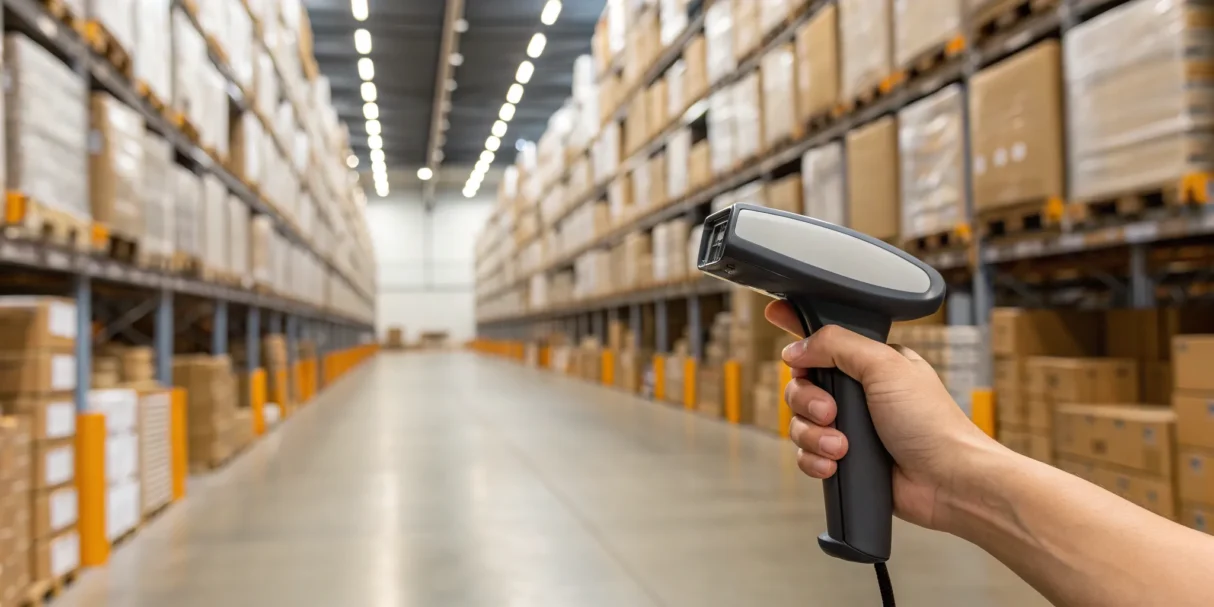
If you’re still using a spreadsheet to track your materials, you’re essentially trying to navigate a new city with a folded paper map. It’s slow, easily becomes outdated, and leaves you guessing. Think of barcode inventory management software as the GPS for your inventory. With a quick scan, it tells you exactly where every part is, how many you have, and the fastest way to get it to the job site. It provides real-time updates, so you’re never making decisions based on old information. This guide is your roadmap to understanding this technology, showing you how to stop getting lost in supply runs and start running a more efficient, profitable operation.
Key takeaways
- Turn inventory into a strength: A barcode system replaces manual errors and guesswork with real-time data. This gives you an accurate picture of your stock, saving time on every job and enabling smarter, cost-effective purchasing.
- Choose software that fits your workflow: Look for a system designed for the trades with essential features like mobile scanning for technicians and seamless integrations with the field service and accounting tools you already use, like ServiceTitan or QuickBooks.
- A smooth rollout starts with your team: Success isn’t just about the technology; it’s about the people. Prepare for the switch by getting your team involved, starting with clean data, and providing clear, hands-on training to ensure everyone is confident from day one.
What is barcode inventory management software?
At its core, barcode inventory management software is a system that helps you track your physical inventory—from parts and materials in the warehouse to tools on a truck—using barcodes. Instead of relying on manual counts and messy spreadsheets, you use a scanner or even your smartphone to check items in and out. This creates a digital record of every piece of equipment and material you own and where it is at any given moment.
Think of it as the central nervous system for your materials. When a technician grabs a specific part from their van for a job, they scan it. When you receive a shipment from a supplier, you scan it. This simple action instantly updates your inventory levels across the board. This technology isn’t just for big-box retailers; it’s designed to bring order to the chaos of managing truck stock, warehouse shelves, and job site materials. A good system gives you a clear, real-time picture of what you have, what you need, and where it’s all going, which is crucial for keeping jobs on schedule and on budget.
How does barcode inventory management work?
The process is straightforward. First, you assign a unique barcode to each inventory item. You can print these labels yourself and stick them on bins, parts, or equipment. Then, your team uses a mobile app or a dedicated scanner to scan the barcode whenever an item is used, moved, or restocked. Every scan updates a central database, so your inventory counts are always accurate and in real time. This data feeds into reports that show you usage trends and help you make smarter purchasing decisions, ensuring you never run out of a critical part or overstock on items you don’t need. It’s a simple scan that powers a much smarter inventory management process.
Clearing up common barcode system myths
One of the biggest myths is that a spreadsheet can do the same job. While spreadsheets are familiar, they rely on manual data entry, which is slow and prone to human error. They can’t give you the real-time visibility you get from a quick scan. Another common misconception is that these systems are too complex for your team to use. The truth is, modern barcode software is designed for everyone, not just inventory experts. With intuitive mobile apps, any technician in the field can track their truck stock with a few taps on their phone, making inventory accuracy a team effort.
Inventory intake and barcoding can be done in no time with Ply.
The real-world benefits of barcode inventory software
Switching from a manual spreadsheet or a clipboard system to barcode inventory software can feel like a big leap. But the change isn’t just about adopting new technology; it’s about fundamentally improving how your business runs. Think about the time lost searching for a specific part, the money wasted on materials you already had in stock, or the frustration of a last-minute run to the supply house. A barcode system replaces guesswork with certainty, giving you a clear, accurate picture of your inventory at all times. This clarity ripples through your entire operation, leading to more efficient techs, smarter purchasing, and a healthier bottom line. It’s about transforming your inventory from a constant headache into a well-oiled part of your business that supports growth instead of holding it back.
✓ Slash manual errors and improve accuracy
We’ve all been there: a part number is written down incorrectly, a tech grabs the wrong fitting, or a manual count is off by a few units. These small mistakes add up, leading to incorrect job costing, project delays, and frustrated customers. Barcode scanning removes the element of human error from the equation. Instead of relying on handwriting and memory, your team can scan a label for perfect accuracy every time. In fact, barcode systems can improve inventory accuracy from an average of 65-75% to an impressive 95-99%. That jump in precision means you can trust your data, make confident decisions, and ensure your techs have exactly what they need to get the job done right.
✓ Save time and work more efficiently
Think about how much time your team spends manually logging parts, checking items in and out, or performing physical inventory counts. A simple scan takes seconds, while writing down serial numbers and product details can take minutes. Those minutes add up quickly across your team and throughout the week. A streamlined inventory management process frees up your technicians to focus on billable work, not paperwork. Good barcode software is also intuitive, requiring little to no training for your team. This efficiency prevents you from accidentally buying items you already have and gets your team in and out of the warehouse faster.
✓ Get real-time inventory visibility
How valuable would it be to know exactly what you have in stock—both in the warehouse and on every truck—at this very moment? That’s the power of real-time visibility. With a barcode system, your inventory levels update instantly every time an item is scanned. This means you’re no longer making decisions based on outdated information from yesterday or last week. This live data allows you to track usage trends as they happen, enabling dynamic reordering that prevents stockouts on critical parts. With a clear view of your entire warehouse and truck stock, you can dispatch the nearest tech with the right part, saving time and improving first-time fix rates.
✓ Make smarter purchasing decisions
When your inventory data is accurate and up-to-the-minute, you can stop making purchasing decisions based on gut feelings. Barcode inventory software gives you the hard data you need to buy smarter. By analyzing usage trends, you can identify which parts are your fast movers and which are collecting dust. This insight allows you to set up automated reorder points, negotiate better pricing on bulk orders, and avoid tying up cash in slow-moving stock. Over time, this data-driven approach to purchasing leads to significant cost savings and improved cash flow. You can even calculate the potential return on your investment by seeing how much you’ll save on wasted materials and optimized ordering.
Key features to look for in barcode inventory software
Once you start looking at barcode inventory software, you’ll notice that the options are endless. While having choices is great, it can be tough to figure out which features are just nice-to-haves and which are absolute game-changers for a contracting business. The right system does more than just scan labels; it becomes the backbone of your material management, connecting your field team to the office and your inventory to your finances.
To find the best fit, you need to look past the flashy marketing and focus on the core functions that will solve your biggest headaches. Think about your daily operations. Where are the bottlenecks? Is it techs running out of parts on a job? Is it the time your office staff spends manually entering purchase orders into your accounting software? The most effective barcode software will directly address these pain points with practical, easy-to-use features. We’ll walk through the five key features that make the biggest impact for trade businesses, from mobile capabilities in the field to the analytics you need to make smarter decisions.
Mobile scanning is a non-negotiable feature that allows your technicians to use their own smartphones or tablets to scan barcodes.
Mobile scanning for the field
For any trade business, work doesn’t just happen in the office or the warehouse—it happens on the road and at the job site. Your inventory software needs to keep up. Mobile scanning is a non-negotiable feature that allows your technicians to use their own smartphones or tablets to scan barcodes. This means they can check parts in and out of their truck, log materials used on a job, and look up item details instantly, all without needing a clunky, dedicated scanner. This capability gives you an accurate, real-time view of your truck stock, which is essential for keeping your team efficient and avoiding unnecessary trips to the supply house.
Integrations with your existing tools
Your business already relies on a set of tools to manage scheduling, dispatching, and accounting. The last thing you want is an inventory system that operates in a silo. Look for software that offers seamless integrations with the platforms you already use, like ServiceTitan, Jobber, or QuickBooks. When your inventory software connects with your other systems, data flows automatically. This eliminates time-consuming double entry, reduces the risk of human error, and ensures that your job costing and financial records are always accurate. It creates a single, reliable source of information across your entire operation, from the initial service call to the final invoice.
Automated reordering and forecasting
Running out of a critical part can bring a profitable job to a screeching halt. The best barcode inventory systems help you shift from being reactive to proactive with your purchasing. Look for features that allow you to set minimum stock levels for every item in your warehouse and on your trucks. When inventory dips below that threshold, the system can automatically alert you or even generate a draft purchase order. This automation ensures you always have the materials you need on hand, preventing costly delays and keeping your jobs on schedule. It’s a simple feature that has a massive impact on your bottom line.
Clear reporting and analytics
You can’t improve what you don’t measure. A solid barcode inventory system should give you clear, actionable insights into your material usage and spending. Go beyond basic inventory counts and look for robust reporting features. Can you easily see your inventory turnover rate? Can you track which parts are used most frequently on certain types of jobs? Can you analyze material costs per technician or per job? This data is invaluable for improving job costing, identifying dead stock that’s tying up cash, and making smarter purchasing decisions for the future.
A system that grows with you
The software that works for you as a five-truck operation should also work for you when you have 25. Scalability is crucial. As your business grows, you might add more technicians, open new locations, or expand your warehouse. Your inventory management software needs to be able to handle that increased complexity without breaking a sweat. Look for a solution that is powerful enough to support a large, multi-location enterprise but remains simple enough for your team to use every day. Choosing a scalable system means you’re investing in a long-term partner that can support your warehouse operations as you grow.
The best barcode inventory software for trades
Once you start looking, you’ll find dozens of barcode inventory systems out there. The sheer number of options can be overwhelming, but the key is to find the one that fits how your business actually operates. A tool built for an online retailer won’t have the features an HVAC company needs, and a generic app might not handle the complexities of managing materials across a fleet of service trucks.
To help you cut through the noise, we’ve broken down four popular options. Each one has its strengths, but they’re designed for very different types of businesses. We’ll look at who each platform is built for, what it does best, and how it might fit into your workflow. Think about your biggest inventory headaches as you read through these—whether it’s tracking parts on a job site, managing stock in the warehouse, or just getting purchasing under control. The right software should solve your specific problems and make your day-to-day work easier.
1. Ply: Built for contractors
Ply is designed from the ground up for contractors and businesses in the trades. It’s not a generic inventory app with a few features tacked on; it’s a complete system built to handle the unique challenges of managing truck stock, job site materials, and warehouse inventory all at once. It understands that your inventory isn’t just sitting on a shelf—it’s constantly moving between your warehouse, your trucks, and your customers’ homes.
The platform focuses on the features that actually help a trade business grow, like streamlined purchasing and automated replenishment. Because Ply is made for contractors, it offers deep integrations with the field service and accounting software you already use, including ServiceTitan, Jobber, and QuickBooks. This means your inventory data connects seamlessly with your jobs and your books, saving you from hours of manual data entry.
2. Sortly: For visual inventory
Sortly is a popular choice for businesses that want a simple, visual way to track their items. Its biggest strength is its user-friendly interface, which allows you to generate and scan barcodes or QR codes right from your smartphone. You can easily create and print custom labels to track key details like quantity, location, and price for each item in your inventory.
This straightforward approach makes Sortly a great starting point for smaller businesses or those who appreciate a more visual system with photos for every item. While it’s highly flexible for general inventory tracking, it isn’t specifically designed for the complex workflows of the trades. It lacks the specialized features needed to manage truck stock replenishment or integrate directly with job management software, which can be a limitation for growing service businesses.
3. SkuVault: For e-commerce businesses
SkuVault is a powerful inventory management system tailored specifically for e-commerce businesses. Its core purpose is to help online sellers manage stock levels and streamline operations across multiple sales channels, like Amazon, Shopify, and eBay. The software excels at preventing overselling, managing warehouse picking and packing, and generating reports that are critical for online retail success.
While SkuVault is excellent at what it does, its features are built around the needs of a business that ships products to customers. For a contractor, where inventory is consumed on job sites rather than sold online, most of its tools wouldn’t apply. The workflows for a service-based business are fundamentally different, making SkuVault a less practical choice for plumbing, HVAC, or electrical contractors.
4. Finale Inventory: For multiple locations
Finale Inventory is a robust, all-in-one solution designed for businesses that need to manage stock across multiple physical locations. If you have several warehouses, storerooms, or even a fleet of large vehicles, Finale provides the tools to keep everything in sync. It offers a comprehensive package that includes scanner apps, label printing, and customer support, giving you everything you need to get started.
One of its key advantages is flexibility. You can use your team’s existing smartphones as scanners or purchase dedicated hardware kits, allowing you to manage costs. While it’s a powerful system for multi-location management, it’s a generalist tool. It doesn’t have the trade-specific workflows for managing truck stock or the direct integrations with field service platforms that contractors rely on to connect inventory usage to jobs.
Click here to learn more about how Kyle Plumbing partnered with Ply to overhaul their inventory process, slash monthly material costs, and recover $60K in unused stock
What’s the investment for barcode inventory software?
When you start looking at barcode inventory software, it’s easy to focus on the monthly subscription fee. But thinking about the total investment will give you a much clearer picture of what to expect. The cost of a barcode system goes beyond just the software—it includes the hardware you’ll need to run it, the labels for your parts, and the time it takes to get your team up and running.
Viewing this as an investment rather than just another expense is key. The right system doesn’t just cost money; it saves you money by cutting down on errors, reducing wasted materials, and giving your technicians back valuable time. A solid system pays for itself by making your entire operation more efficient, from the warehouse to the job site. The goal is to find a solution that provides a strong return by solving your biggest inventory headaches and helping you book more profitable jobs.
Understanding pricing models
Barcode inventory software is typically priced using a few common models. Many companies charge on a per-user, per-month basis. This can be a great fit if you have a small team, but costs can add up as you grow and add more technicians. Other platforms use tiered pricing, where you pay more for access to advanced features, more locations (like warehouses or trucks), or a higher number of scannable items.
When comparing options, look past the sticker price. A cheaper plan might seem appealing, but it could lack the critical features you need, like robust mobile access for your field team or integrations with your accounting software. Think about your must-haves and find a plan that meets them without forcing you to pay for a lot of extras you’ll never use.
What affects the final price?
Four main areas contribute to the total cost of a barcode inventory system. First is the hardware: scanners, mobile devices for your techs, and label printers. Second is the software itself—the subscription that runs the whole operation. Third are the consumables, which are mainly the barcode labels and printer ribbons you’ll use to tag your materials. Finally, there’s the labor and training involved in setting up the system and teaching your team how to use it effectively.
Don’t forget about potential hidden costs. You’ll need to spend time preparing your inventory data to import it into the new system. You’ll also want to ensure the software connects smoothly with the field service and accounting platforms you already rely on, which can sometimes involve setup fees or extra support.
Calculating your return on investment (ROI) on a barcode system
A good barcode system should pay for itself, and usually pretty quickly. The return on investment comes from a few key places: fewer ordering mistakes, less time spent searching for parts, and a major reduction in wasted or lost inventory. When your techs can find what they need instantly and your office knows exactly what to reorder and when, the entire business runs more smoothly. This efficiency means your team can complete more jobs in less time.
Most businesses find that a barcode system pays for itself within 6 to 12 months. You can get a clearer idea of your potential savings by looking at how much you currently lose to shrinkage, rush orders, and time spent on manual counts. You can even use an ROI calculator to plug in your numbers and see how quickly the investment will start generating returns for your business.
Overcoming common implementation hurdles
Switching to a new inventory system can feel like a huge project, but it doesn’t have to be a headache. Most of the challenges that pop up are common and completely solvable with a bit of planning. Thinking through how the system will affect your team, your current software, and your daily processes will set you up for a smooth transition. By tackling potential issues head-on—from getting your crew comfortable with new tech to ensuring your data is accurate from the start—you can make sure your new barcode system starts paying for itself right away. Let’s walk through the most common hurdles and how to clear them.
Getting your team on board
One of the biggest myths about inventory software is that it’s complicated to use. The truth is, modern systems are designed for people who are busy working with their hands, not sitting at a computer all day. The key to getting your team on board is showing them how the new system makes their job easier, not harder. Start by involving them in the selection process and be transparent about why you’re making the change. Focus on the benefits that matter to them, like less time spent on paperwork and fewer frustrating stockouts. Providing simple, hands-on training will build their confidence, and hearing from other teams who have made the switch can show them it’s a change for the better.
Connecting with your current workflows
A barcode inventory system shouldn’t force you to reinvent your entire operation. Instead, it should fit right into the way you already work, making everything run more smoothly. Before you commit to a platform, make sure it can integrate with the tools you rely on every day, like your accounting software or field service management app. When your inventory software talks to platforms like QuickBooks or ServiceTitan, you eliminate double entry and keep your financial and job data perfectly in sync. This creates a cohesive workflow where information flows automatically from the warehouse to the field and back to the office, saving time and reducing errors across the board.
Keeping your data clean and accurate
Your barcode system is only as good as the data you put into it. Inaccurate information at the start will lead to scanning errors and inventory counts you can’t trust. To avoid this, take the time to clean up and standardize your data before you go live. This means creating a consistent naming system for all your parts and materials and making sure your initial counts are spot-on. It’s also crucial to design clear, durable labels that can withstand the environment of a work truck or warehouse. Establishing a simple process for ongoing data maintenance will ensure your system remains a reliable source of truth for your business.
Setting up your hardware and labels
Getting the physical side of your barcode system right is just as important as the software. This starts with choosing the right hardware, like rugged scanners that can handle being dropped and printers that produce long-lasting labels. Think about where you’ll be scanning items—in the warehouse, on a truck, or at a job site—to pick the best tools for the job. A well-organized stockroom is also essential. A logical layout where every bin and shelf is clearly labeled makes it faster for your team to find what they need and track items accurately. A structured warehouse setup ensures your inventory is not just tracked, but truly managed from day one.
You can find the perfect solution by focusing on three core areas: your specific business challenges, the tools you already use, and how you’ll get the new system up and running.
How to choose the right barcode software for your business
With so many options on the market, picking the right barcode inventory software can feel like a huge task. But it doesn’t have to be. The key is to focus on what your business truly needs to operate more smoothly and profitably. A system that works wonders for a retail store might not be the right fit for your HVAC or plumbing business with multiple trucks on the road.
Instead of getting distracted by flashy features, you can find the perfect solution by focusing on three core areas: your specific business challenges, the tools you already use, and how you’ll get the new system up and running. Breaking the decision down this way makes it much easier to compare your options and choose a partner that will actually help you grow. Let’s walk through how to make a choice you’ll be happy with for years to come.
Step 1: Define your business needs first
Before you even look at a demo, take some time to map out your current inventory pain points. Are you constantly losing track of parts on service trucks? Do technicians waste time running to supply houses for items you thought you had in the warehouse? Are manual counts eating up entire days? The clearer you are on the problems you need to solve, the easier it will be to spot the software that offers the right solutions.
Look for a system that’s intuitive for your whole team. Many users find that easy-to-use software requires almost no training, which helps them save time and money right away by making inventory tracking more efficient. A great starting point is to calculate the potential financial impact of a new system. Using an ROI calculator can help you see exactly how much you could save by reducing errors and preventing duplicate purchases.
Step 2: Check for must-have integrations
Your inventory software doesn’t operate in a vacuum. It needs to communicate seamlessly with the other essential tools you use to run your business, like your field service management (FSM) and accounting software. Without solid integrations, you’ll just be creating more manual work for your team, exporting and importing data between systems. This defeats the whole purpose of upgrading your process.
Make a list of your non-negotiable software, such as ServiceTitan, Jobber, or QuickBooks. As you evaluate options, check to see if they offer direct integrations with your tech stack. An all-in-one approach that connects your core tools saves you the headache and expense of building custom connections. This ensures that when a part is used on a job, your inventory, job costing, and books are all updated automatically.
Step 3: Plan for a smooth rollout and support
The best software in the world won’t help you if your team doesn’t know how to use it or if the setup process is a nightmare. Look beyond the feature list and investigate what the implementation and ongoing support look like. Does the company offer hands-on help to get you started? Is there a dedicated support team you can call when you have questions?
A good barcode system should pay for itself by reducing errors, speeding up work, and cutting down on wasted inventory. Look for a provider that offers an end-to-end solution, covering everything from software to hardware recommendations and training. A partner who provides services like onsite warehouse implementation shows they are invested in your success long after you sign the contract. This level of support ensures your team feels confident and your new system delivers real results.
Tips for a successful barcode system rollout
Switching to a new barcode system is a big step, but it doesn’t have to be a headache. A little planning goes a long way in making the transition smooth for you and your team. Think of it less as flipping a switch and more as paving a new, better road for your business to run on. The key is to be intentional about how you introduce the new tools and workflows. By focusing on clear goals, proper training, and clean data from the start, you set your team up for a win and ensure you get the full value out of your investment right away. These tips will help you get there with fewer bumps along the way.
Set clear goals and metrics
Before you scan a single barcode, define what success looks like for your business. Are you trying to reduce the time your techs spend searching for parts on their trucks? Do you want to cut down on emergency material runs by 15%? Maybe your goal is to get a real-time view of your warehouse inventory to prevent over-ordering. By setting specific, measurable goals, you give your team a clear target to aim for. This also helps you demonstrate the value of the new system down the line. You can even calculate your potential savings to create a financial benchmark for your new inventory process.
Train your team for success
The best software in the world won’t help if your team doesn’t know how to use it. Set aside dedicated time to train everyone who will interact with the new system, from the techs in the field to the staff in the office. Show them not just how to scan items, but why it matters—explaining how it makes their jobs easier by reducing paperwork and guesswork. With barcode scanners and software, almost any employee can receive, order, and track inventory efficiently. Hands-on practice is crucial, so let them get comfortable with the scanners and mobile app in a low-pressure setting before the official launch.
Maintain accurate data from day one
Your barcode system is only as good as the data you put into it. Start with a clean slate by conducting a full physical inventory count before you go live. This ensures the information in your new software matches what’s actually on your shelves and in your trucks. Inaccurate data can lead to confusion and a lack of trust in the system from the start. Taking the time to get it right prevents wasted hours searching for materials and reduces unnecessary replacement costs. If the initial setup feels overwhelming, consider using professional setup services to ensure everything is organized and labeled correctly from day one.
Use automation and mobile tech to your advantage
One of the biggest perks of a modern barcode system is its ability to automate tedious tasks. Set up automated reorder points so you never run out of critical parts. Use the mobile app to empower your technicians to scan parts as they use them on a job site, instantly updating your inventory levels. This not only reduces the chance of human error but also gives you access to real-time data for smarter purchasing decisions. By leaning into these features, you free up your team to focus on what they do best: completing jobs and serving customers.
Related articles
- 6 Best Inventory Software with Barcode Scanner
- Inventory Manager Software: Comprehensive Features & Best Solutions
- Software to Manage Inventory: Top Features, Tools & Best Practices
Frequently asked questions
Will my team actually use this? They’re not all tech-savvy.
This is one of the most common concerns, and it’s a valid one. Modern barcode software is designed specifically for people who work in the field, not behind a desk. The best systems use simple, intuitive mobile apps that feel as familiar as any other app on a smartphone. The goal isn’t to add another complicated task to their day but to replace a frustrating one—like manual paperwork or searching for a lost part—with a quick, simple scan.
Do I need to buy expensive, specialized scanners for everyone?
Not at all. While you can certainly use dedicated rugged scanners, most modern inventory platforms are built to work with the devices your team already has in their pockets. Technicians can use their own smartphones or company-issued tablets to scan barcodes, look up parts, and log materials used on a job. This makes the system much more affordable and easier to roll out since your team is already comfortable with the hardware.
Is a barcode system worth it for a smaller business like mine?
Absolutely. In fact, smaller businesses often feel the sting of inefficiency even more. A single last-minute run to the supply house or buying a part you already had in stock can have a big impact on a job’s profitability. A barcode system helps you manage your most critical inventory—the parts on your trucks—so you can prevent stockouts, improve first-time fix rates, and make smarter purchasing decisions, regardless of your company’s size.
How much work is it to get all my current inventory into the new system?
Getting started does require an initial effort to count and label your inventory, but it’s a one-time project that sets the foundation for long-term accuracy. Think of it as a thorough spring cleaning for your stockroom and trucks. Once your initial data is in, the day-to-day process of scanning items in and out is incredibly fast. Many software providers also offer support or services to help make this initial setup as smooth as possible.
How is this different from just using a spreadsheet to track everything?
While a spreadsheet is a step up from a clipboard, it still relies on manual data entry, which is slow and full of potential for human error. A barcode system replaces typing with scanning. Every scan updates your inventory levels instantly and accurately across the entire company. This gives you a real-time view of what you have and where it is, something a spreadsheet can’t do. It turns inventory management from a reactive chore into a proactive, data-driven part of your business.



