 Case Studies
 ROI Calculator
 Blog
Blog Videos Archive
 Partnership
 Onsite Warehouse Implementation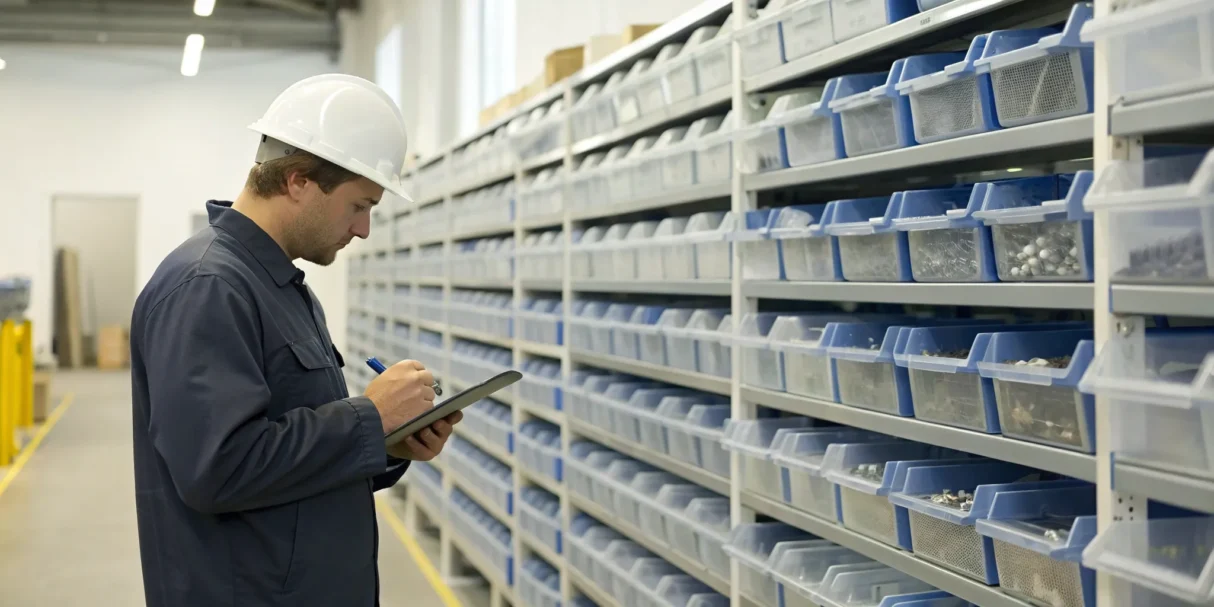
How much money is your business losing on unaccounted-for parts and materials each year? It’s a tough question to answer when you’re tracking everything manually. Without a clear system, it’s nearly impossible to know if you’re pricing jobs profitably or if materials are simply vanishing. This is the core problem that shop inventory management software is built to solve. It transforms your inventory from a costly liability into a well-managed asset. By giving you a real-time, accurate view of what you own, where it is, and how it’s being used, you can stop leaking profit. In this article, we’ll break down how to choose the right system, what it should cost, and how it can directly impact your bottom line.
Key takeaways
- Replace Guesswork with Accuracy: Ditch the unreliable spreadsheets and get a real-time count of every part in your shop and on your trucks. This accuracy helps you stop over-ordering, eliminate last-minute supply runs, and make smarter purchasing decisions that protect your profit margins.
- Choose Software That Understands the Trades: Generic platforms won’t cut it. Your business needs non-negotiable features like truck stock management and job costing, plus seamless integrations with the field service and accounting tools you already use, like ServiceTitan or QuickBooks.
- Plan for Adoption and Measure Your ROI: A new tool is only as good as its users. Get your team on board with solid training and a clean data migration. Once you’re running, track key metrics like inventory accuracy and time saved to see how the software is directly contributing to your bottom line.
What is shop inventory management software?
Think of shop inventory management software as the digital brain for your warehouse and service trucks. It’s a system designed to track every part, tool, and piece of equipment you own, telling you what you have, where it is, and when you need to order more. Instead of relying on spreadsheets, whiteboards, or memory, this software gives you real-time data on your entire stock. It replaces manual counting and guesswork with automated tracking, helping you make smarter purchasing decisions and ensuring your team always has the materials they need to get the job done right.
For a contracting business, this isn’t just about counting widgets. It’s about connecting the parts in your shop to the jobs in the field. The right software gives you a clear view of your inventory across every location from the main warehouse to each technician’s van. This visibility is key to running a more efficient and profitable operation, cutting down on wasted time and unnecessary expenses.
What it does for your business
At its core, shop inventory software helps you stop leaking money. When you don’t know what you have, you’re likely to over-order popular items or run out of critical parts mid-job, leading to emergency supply runs and project delays. Good software provides automated low-stock alerts, so you can reorder proactively, not reactively. With a clear, real-time picture of your inventory levels and usage trends, you can make data-backed purchasing decisions instead of guessing. This means less cash tied up in excess stock and fewer costly delays, which ultimately helps you book more jobs and protect your profit margins.
How it simplifies your operations
The daily grind of managing materials can be a major time sink. Inventory software simplifies these workflows by creating a single source of truth for your entire team. It gives you end-to-end visibility, showing you exactly what’s in stock and where you might have issues with missing parts or discrepancies. While generic inventory tools can help, software built for the trades understands your specific needs, like managing truck stock or creating a purchasing process that connects directly to your field service software. This integration eliminates double entry and ensures your techs can see what parts are available without having to call the office, making everyone’s job a little easier.
Must-have features for trades businesses
Not all inventory software is built for the unique demands of the trades. A solution designed for a retail store won’t understand the chaos of a job site or the need to track parts across a fleet of trucks. To truly get control over your materials and purchasing, you need a system with features designed specifically for contractors. These are the non-negotiables to look for when you’re comparing your options.
1. Real-time tracking and automated ordering
It’s time to ditch the clipboard and spreadsheets. Modern inventory software gives you a live, accurate count of every part in your shop and on your trucks. This real-time data is a game-changer. It means you can stop guessing what you have and prevent last-minute runs to the supply house that kill your schedule. The best systems also offer automated purchasing, creating purchase orders when stock levels hit a minimum you’ve set. This ensures you have the right materials on hand for the next job without tying up cash in excess inventory.
2. Job costing and truck stock management
Generic software often misses two of the most critical workflows for trades businesses: job costing and truck stock management. You need to know exactly which materials were used on which job to ensure you’re pricing your services profitably. Effective truck stock management goes a step further, giving you visibility into the “warehouse on wheels” that each technician drives. When you know what’s on every truck, you can dispatch the right tech for the job and restock vehicles efficiently, preventing return trips and keeping customers happy.
3. Key software integrations
Your inventory software shouldn’t operate in a silo. To keep your business running smoothly, it needs to connect with the other tools you rely on every day. Look for a platform that offers seamless software integrations with your field service management software—like ServiceTitan, Housecall Pro, or Jobber—and your accounting platform, such as QuickBooks or Sage Intacct. This creates a single source of truth for your business, eliminating double data entry and ensuring your financial records are always aligned with your field operations. When your systems talk to each other, your entire workflow becomes more efficient.
4. Mobile access and barcode scanning
Your technicians are constantly on the move, and your inventory management system needs to keep up. A user-friendly mobile app is essential, allowing your team to check parts in and out, look up inventory levels, and even request materials directly from the job site. Pairing this with barcode scanning simplifies the entire process. Instead of manually typing in part numbers, techs can quickly scan items with their phones. This not only saves a massive amount of time but also dramatically reduces the human error that can throw your entire inventory count off track.
Ply offers mobile access to empower your entire team to stay connected via their smartphone
The best shop inventory management software
Finding the right inventory software feels a lot like choosing the right tool for a job: the best one depends entirely on what you need to accomplish. A platform built for an online t-shirt shop won’t have the features a growing HVAC business needs to manage truck stock and job materials. The key is to find a system that matches your specific workflows, not one that forces you to change how you work.
To help you find the perfect fit, we’ve broken down five of the best shop inventory management software options. We’ll look at what each one does best and who it’s really built for. This way, you can see how they stack up against the unique demands of a contracting business, from managing parts in the warehouse to tracking them on a service vehicle. Let’s get into it.
Ply: built for contractors
Ply was designed from the ground up with one person in mind: the contractor. Unlike generic inventory systems that you have to adapt to your business, Ply is built around the workflows you already use. It focuses on the features that actually matter in the trades, like real-time truck stock management, streamlined purchasing, and accurate job costing. You can see exactly which parts were used on a job, how much they cost, and what you have left on each truck.
The biggest advantage is its seamless connection with the software you already use to run your business. Ply offers deep integrations with field service platforms like ServiceTitan, Housecall Pro, and Jobber, plus accounting software like QuickBooks. This means your inventory data flows automatically, saving you from manual entry and costly mistakes.
Shopify: best for e-commerce
If your business primarily sells products online, Shopify is an absolute powerhouse. It’s a comprehensive e-commerce platform that makes it incredibly simple to build an online store, process payments, and manage inventory for online sales. Its inventory management tools are robust for retail, allowing you to track stock levels, manage product variations, and get reports on sales performance.
However, Shopify is built for selling products, not for managing materials for service jobs. It lacks the specialized workflows contractors depend on, such as assigning parts to a specific work order, tracking inventory across multiple service vehicles, or integrating directly with field service management software. While it’s a fantastic tool for e-commerce, it’s not designed to handle the operational needs of a trade business.
Square: a solid free option
For small businesses just starting out, Square offers a compelling package. Its free, cloud-based inventory management software connects directly to its popular point-of-sale (POS) system, making it a great all-in-one solution for retail or small service providers. It handles the basics well, giving you real-time inventory tracking, daily low-stock alerts, and the ability to manage items across different locations.
The main drawback is that its simplicity can become a limitation as your contracting business grows. While it can track inventory, it doesn’t offer the advanced job costing or truck stock management features that are critical for maintaining profitability and efficiency in the trades. It’s a solid free tool, but you may find yourself outgrowing it quickly.
Katana: made for manufacturing
Katana is a highly specialized tool designed specifically for manufacturers. It excels at managing the entire production process, from tracking raw materials and creating bills of materials to scheduling production runs and monitoring work-in-progress. If you build or assemble your own products, Katana provides the visibility and control you need to streamline your operations and keep production on track.
Because it’s so focused on manufacturing, its feature set doesn’t align with the needs of a service-based contractor. The workflows for a plumber or electrician are centered around jobs, service calls, and mobile inventory, not factory production lines. Katana is an excellent choice for its target audience, but it’s not the right fit for managing parts and materials in the trades.
Unleashed: for complex inventory needs
Unleashed is a powerful inventory management system built for businesses with complex operational needs, like wholesalers, distributors, and multi-location retailers. It offers advanced features like batch and serial number tracking, multi-warehouse management, and detailed reporting that can handle intricate supply chains. If your business deals with thousands of SKUs across multiple distribution centers, Unleashed provides the depth and control you need.
For most trade businesses, however, this level of complexity is unnecessary. The advanced features that make Unleashed great for distributors can create a steep learning curve and complicate the straightforward workflows that contractors rely on. While it’s a capable system, it’s often more software than a typical trade business needs to manage inventory effectively.
How much does inventory software cost?
Figuring out the cost of inventory software isn’t always straightforward because pricing can vary quite a bit. Most providers use one of three main models: a recurring subscription, a one-time license fee, or a tiered plan that bundles different features. The final price tag depends on the size of your team, the number of locations you manage, and the specific features you need.
Think of it less as a cost and more as an investment in your business’s efficiency. The right software saves you money by reducing material waste, preventing unnecessary purchases, and cutting down on the time your team spends searching for parts. Many businesses find that the software pays for itself pretty quickly. Some companies even offer an ROI calculator to help you estimate your potential savings before you commit.
Think of it less as a cost and more as an investment in your business’s efficiency. The right software saves you money by reducing material waste, preventing unnecessary purchases, and cutting down on the time your team spends searching for parts.
Subscription models
The most common pricing structure you’ll see is the subscription model. You pay a recurring fee, usually monthly or annually, for access to the software. This approach is popular because it keeps the upfront cost low and often includes customer support, regular updates, and data backups. The subscription fee might scale based on the number of users, inventory items, or integrations you need, so it can grow with your business.
One-time licenses
Though less common these days, some software companies offer a one-time license. With this model, you pay a single, larger fee upfront to own the software license forever. This can be appealing if you prefer a one-and-done capital expense instead of an ongoing operational cost. The main thing to watch for is what’s included. You might have to pay extra for future updates, technical support, or new versions of the software down the line, so be sure to read the fine print.
Tiered plans
Tiered plans are a popular type of subscription where features are bundled into different packages at various price points. As you move up the tiers, you typically get access to more users, locations, integrations, and advanced reporting. While this flexibility is great, it’s important to check that the features are right for your trade. Many general inventory systems lack the specialized workflows for job costing and truck stock management that contractors rely on.
The pros and cons of inventory software
Switching to a new software system is a big step, and it’s smart to weigh the good against the challenging. While inventory management software can transform your shop’s efficiency, it’s not a magic wand. Understanding the full picture from the significant benefits to the potential bumps in the road helps you make the right choice for your business and prepare your team for the transition.
✓ Pro: better accuracy and lower costs
The most immediate benefit you’ll see is a major improvement in inventory accuracy, which translates directly to lower costs. When you rely on spreadsheets or memory, it’s easy to lose track of what you have, leading to expensive problems like over-ordering parts or running out mid-job. An emergency run to the supply house wastes both time and fuel.
Inventory software gives you end-to-end visibility, showing you exactly what’s in the warehouse and on each truck in real time. This helps you spot issues like shrinkage or discrepancies before they become major losses. By automating tasks like purchase orders, you also reduce human error. This accuracy means you can run a leaner operation, cut down on waste, and see how much you can save on materials.
X Con: the initial setup hurdle
Let’s be honest: getting started with any new software can be a challenge. The initial setup is often the biggest hurdle. You have to get all your existing inventory data into the new system, which can be time-consuming if you’re starting from a messy spreadsheet. Training your team to use the new platform also takes time and a solid plan.
One of the most common setup headaches is ensuring the new software is compatible with the systems you already use. If they don’t talk to each other, you’ll just be creating more manual work. That’s why it’s important to choose a platform that offers support during this phase, like guided onboarding or onsite implementation to get you up and running smoothly.
X Con: data and system integration issues
A standalone inventory tool that doesn’t connect with your other business software can create more problems than it solves. If your inventory system can’t sync with your field service platform, your techs won’t have accurate stock levels on their trucks. If it doesn’t connect to your accounting software, job costing becomes a nightmare of manual data entry. This creates data silos where important information is trapped.
To truly simplify your operations, you need a system that integrates with the tools you rely on every day. When your inventory platform can communicate with tools like QuickBooks or ServiceTitan, data flows automatically. This ensures everyone is working with the same accurate information, from the tech in the field to the bookkeeper in the office. Having strong software integrations is non-negotiable for an efficient workflow.
How to get your team on board
Introducing new software can feel like a huge undertaking, especially when your team is already comfortable with the way things are. The key to a successful switch isn’t just picking the right tool; it’s about leading your team through the change. People naturally resist what they don’t understand, so your first job is to get everyone on the same page and show them how this new system will make their work easier, not harder.
A smooth transition starts long before you “go live.” It involves clear communication, solid training, and a plan for handling the technical details. When you frame the change as a team effort to solve shared problems (e.g., lost parts or last-minute runs to the supply house) you create buy-in from the start. Think of it as an investment in your people and your processes. With the right approach, you can turn potential skeptics into your biggest advocates and ensure the new software becomes an indispensable part of your operation. For hands-on help, some companies even offer services like an onsite warehouse implementation to get your team and inventory set up correctly.
Manage team resistance with good training
Change can be unsettling, and the most common source of resistance is the fear of the unknown. The best way to counter this is with thorough, hands-on training. Your goal is to build confidence and show your team that you’re supporting them through this transition. Schedule dedicated training sessions where technicians and office staff can learn the software in a low-pressure environment. Consider creating simple cheat sheets for common tasks and appointing a tech-savvy “champion” on the team who can act as the go-to person for quick questions. When your team feels competent with the new tool, they’ll be more likely to embrace it.
Migrate your data smoothly
Nothing will derail your implementation faster than a messy data migration. Starting with inaccurate or incomplete information will frustrate your team and make them lose faith in the new system before they’ve even given it a fair shot. Before you make the switch, take the time to clean up your existing data including updating part numbers, standardizing naming conventions, and getting rid of obsolete items. It’s also critical to choose a platform that works well with your existing tools. Ensuring compatibility between your inventory software and accounting software is a common challenge, so look for solutions with proven integrations to make the process as seamless as possible.
Adapt to new workflows
The real power of inventory management software isn’t just in digitizing your old processes—it’s in creating smarter, more efficient ones. Help your team understand and adapt to these new workflows by highlighting the direct benefits to their day. For example, real-time visibility means a tech can check truck stock from their phone instead of calling the office. Automated reordering means your shop manager spends less time on tedious purchase orders. By focusing on how these new features solve daily frustrations, you can help your team see the software as a tool that empowers them to work more effectively.
Click here to read how Ply helped Alberni Electric optimize its day-to-day workflows.
How to know if your software is paying off
Investing in new software is a big step, and you need to know it’s actually making a difference for your bottom line. It’s not just about feeling more organized; it’s about seeing tangible results in your time, money, and efficiency. The right system should do more than just track parts, it should actively contribute to your company’s growth by cutting waste and streamlining how you get work done. So, how do you move from a gut feeling to hard data? It comes down to tracking the right numbers and understanding how small efficiencies add up to significant savings. By focusing on a few key areas, you can clearly see the return on your investment and feel confident you made the right choice for your shop. This isn’t about complicated spreadsheets; it’s about looking at your daily operations and seeing where the software is smoothing out the rough edges.
Key metrics to track
To know if your software is pulling its weight, you need to track the right numbers. Start with inventory accuracy. How often does your physical count in the shop or on a truck match what the software says? A higher accuracy rate means fewer surprise stockouts and less cash tied up in parts you don’t need. Another critical metric is inventory turnover. Are you using and replacing stock efficiently, or are parts collecting dust on shelves for months? Good software helps you optimize this, freeing up capital. When your inventory management software gives you real-time visibility across your shop and every truck, your entire business runs more smoothly. You can also pull accurate reports on everything related to inventory, which helps you make smarter purchasing decisions and see which jobs are most profitable.
Calculating your time and money saved
Now, let’s translate those metrics into dollars and cents. Think about the time your team used to spend on manual counts, searching for parts, or making extra trips to the supply house. Inventory management software helps you automate tasks, reduce human error, and access real-time data from anywhere. Calculate the hours saved per week and multiply that by your team’s hourly rate—the result is often surprising. Features like automated low-stock alerts prevent project delays by ensuring you never run out of essential materials. You can also use the software’s forecasting tools to align your stock with upcoming jobs, minimizing delays and avoiding expensive, last-minute orders.
- PRO TIP: To get a clear picture of your potential savings, you can use an ROI calculator to plug in your numbers and see the financial impact directly.
How to choose the right software for your shop
Picking the right inventory software can feel like a huge decision, but it doesn’t have to be overwhelming. The best tool is simply the one that fits your business like a glove. Instead of getting distracted by flashy features you’ll never use, focus on what your shop actually needs to run smoother and be more profitable. Think about your biggest time-wasters and daily frustrations—is it tracking parts on service trucks? Is it getting job costs right? The right software solves your specific problems, turning chaos into a clear, manageable process. It’s about finding a system that works for your team, not forcing your team to work for the system.
Many contractors stick with spreadsheets or outdated methods for far too long because the thought of switching feels like too much work. But the cost of inaction (lost parts, inaccurate job costing, and wasted tech time) adds up quickly. A modern inventory system is designed to give you back time and money. To find your perfect match, you’ll want to look closely at three key areas: the features it offers, how it connects with the other software you already use, and how the cost stacks up against the value it will bring to your business. Breaking it down this way helps you compare your options clearly and make a choice you’ll be happy with for years to come.
Step 1: Match features to your business needs
Before you even look at a demo, grab a notepad and list your daily operational challenges. Do you struggle with knowing what’s on each truck? Are you losing money because parts aren’t being assigned to jobs correctly? Your answers will point you to the features you can’t live without. Look for a system that gives you real-time visibility across your warehouse and service vehicles. The goal is to find a tool with features built for the trades, like multi-location tracking, automated purchase ordering, and detailed job costing. Make a list of your must-haves versus your nice-to-haves to keep your search focused and productive.
Step 2: Check for must-have integrations
Your inventory software shouldn’t be an island. For it to truly simplify your operations, it needs to communicate seamlessly with the other tools you rely on every day. Think about your field service management platform like ServiceTitan or Jobber and your accounting software, such as QuickBooks. If a system doesn’t offer direct integrations, you’re signing yourself up for manual data entry, which can lead to errors and wasted time. A truly integrated system syncs data automatically, ensuring your job costs are accurate in your accounting books and your techs have the right parts information in the field. This connection is what turns a good tool into an indispensable part of your workflow.
Step 3: Balance your budget with potential ROI
It’s easy to get sticker shock when looking at software prices, but the monthly fee is only part of the story. A better way to look at the cost is to consider the potential return on investment (ROI). How much money will the software save you in the long run? Think about the savings from reduced material waste, fewer last-minute trips to the supply house, and more accurate billing. When you can track every part from purchase to installation, you stop losing money on unaccounted-for materials. Use an ROI calculator to estimate how quickly the software could pay for itself through increased efficiency and cost savings. This makes it an investment in your profitability, not just another monthly expense.
Related articles
- 6 Best Inventory Management Software 2025
- 5 Best Construction Inventory Management Software
- Inventory Management Software: The Ultimate Guide
Frequently Asked Questions
I’m currently using spreadsheets to track my inventory. Why should I switch?
Spreadsheets are a great starting point, but they often create more problems as your business grows. They require constant manual updates, are prone to human error, and can’t give you a real-time view of what’s on a service truck. Shop inventory software automates this entire process. It provides a single, accurate source of truth that your whole team can access, eliminating the guesswork and costly mistakes that come from an outdated spreadsheet.
Will this software work with the other tools my business relies on?
It absolutely should. A standalone inventory system can create more headaches than it solves. The right software is designed to connect directly with the tools you already use, like your field service management platform and your accounting software. This integration is key because it allows information to flow automatically, ensuring your job costs are accurate and your technicians have the correct parts data without anyone having to enter information twice.
How does this software actually help my technicians in the field?
This is where you’ll see a huge impact on day-to-day efficiency. Instead of calling the office to check if a part is in stock, a tech can see real-time inventory levels on their phone or tablet. They can assign parts to a job as they use them and even request materials directly from the field. This means fewer trips to the supply house, less wasted time, and a much smoother workflow for your entire team.
My business is still small. Is inventory software worth the investment right now?
It’s a common question, but think of it as setting a strong foundation for growth. Even for a small shop, losing track of materials can eat into your profits. Implementing a system early helps you establish efficient workflows from the start, preventing the bad habits that become harder to fix later. It gives you the data you need to make smart purchasing decisions and ensures you’re pricing your jobs profitably as you scale.
How much time does it really take to get a new system up and running?
The initial setup is definitely a project, but it’s more manageable than you might think. The biggest task is getting your existing inventory data into the new system. A good software provider will offer support to guide you through this process. While it requires an upfront time investment, the hours you’ll save in the long run on manual counting, searching for parts, and correcting errors make it well worth the effort.



