You wouldn’t hand your best technician a generic, one-size-fits-all toolkit and expect peak performance. You give them the specific tools they need to do their job right. So why are so many contractors still running one of the most critical parts of their business (materials and inventory) on generic software?
Off-the-shelf inventory tools are built for everyone, which usually means they’re built perfectly for no one. They come loaded with features designed for retail or manufacturing while missing the functionality contractors actually need, like managing truck stock, tracking job-specific materials, and syncing inventory with field service operations.
That’s where custom inventory management software comes in. In this guide, we’ll break down what “custom” really means for trade businesses, how it differs from generic inventory software, and how contractors can get a system tailored to their workflows without the cost or complexity of building software from scratch.
Key takeaways
- Prioritize a Contractor-Specific Fit: Generic, off-the-shelf software isn’t designed for the unique challenges of the trades, like managing truck stock. A solution built for your specific workflows eliminates the need for manual workarounds and gives you precise control over your materials.
- Connect Your Tools for a Single Source of Truth: Your inventory system is most powerful when it communicates with your other software. Seamless integrations with your field service and accounting platforms automate data entry, reduce costly errors, and ensure your entire team works with the same accurate information.
- Focus on Long-Term Value, Not Just Upfront Cost: The right software is an investment in operational efficiency. Look beyond the price tag and calculate the potential return from reduced material waste, less time spent on administrative tasks, and the ability to complete more jobs profitably.
What is custom inventory management software?
Custom inventory management software is software that’s tailored to the way your business actually operates, not a rigid, one-size-fits-all system you have to bend your processes around.
For contractors and trade businesses, inventory isn’t static. Materials live in multiple places at once: warehouses, service trucks, job sites, and supplier locations. A truly custom solution accounts for that complexity by aligning with how your team buys, moves, and uses materials every day.
Importantly, custom doesn’t always mean custom-built. In most cases, the best custom inventory management software is configurable, industry-specific, and designed around contractor workflows from day one. Instead of paying to develop software from scratch, you get a platform that already understands trade inventory and can be customized with the exact features you need to manage parts, materials, and equipment efficiently.
The result is a system that feels like a natural extension of your business: one that supports growth, reduces manual work, and gives you real-time visibility into inventory across every location.
Custom vs. off-the-shelf: what’s the difference?
The main difference between custom and off-the-shelf software comes down to fit. Off-the-shelf software is like buying a suit off the rack. it’s made for a general audience and might fit you pretty well, but it’s rarely perfect. You often end up with features you don’t need cluttering your screen, while missing the one or two key functions that would actually make your life easier.
Custom software, on the other hand, is like getting that suit tailored. It’s built to address your company’s specific processes. For example, a generic tool won’t force you to use a ready-made integration with Housecall Pro or Jobber. A custom solution is designed to connect seamlessly with the tools you already rely on, creating a single, smooth workflow for your entire operation.
Signs you need a custom solution
Are you constantly creating workarounds with spreadsheets just to track your inventory properly? That’s a big sign that your current system isn’t cutting it. If you’re nodding along to any of the points below, it might be time to consider a solution that’s built for your business.
- Your workflows are unique: Off-the-shelf software forces you to change your processes to fit the tool, not the other way around.
- You rely on manual entry: You’re wasting time and risking errors by manually transferring data between your inventory system and your accounting or field service software.
- You can’t get clear reports: You struggle to get a real-time view of inventory levels across all your trucks and warehouses.
- Your current software can’t grow with you: As you add more techs and trucks, your system is slowing down or can’t handle the complexity.
If these issues sound familiar, you can start by calculating the potential return on investment you’d see from a system that actually solves them.
A great custom solution isn’t just about having a lot of bells and whistles; it’s about having the right tools that fit seamlessly into your daily operations.
Must-have features in custom inventory software
When you start looking at custom inventory software, you’ll find that the options are vast. To make sure you’re choosing a system that will actually solve your problems and not just create new ones, it’s important to focus on the core features that make a real difference for trade businesses. A great custom solution isn’t just about having a lot of bells and whistles; it’s about having the right tools that fit seamlessly into your daily operations. Think of it as building a custom toolkit: you need the specific wrenches and drivers that fit the jobs you do every day.
A system built for a retail store won’t understand the complexities of managing truck stock or job-specific materials. You need software designed for the way you work, with features that address the unique challenges of the trades. From tracking parts in a moving vehicle to integrating with your field service software, the right features can transform your operations from chaotic to controlled.
Here are the non-negotiable features your custom inventory software should have.
Real-time tracking and automated alerts
There’s nothing worse than a job getting delayed because a technician didn’t have the right part on their truck. Real-time inventory tracking eliminates this guesswork by giving you a live, accurate count of every part in your warehouse and on each service vehicle. You can see what’s available at a glance, which prevents both stockouts and over-ordering.
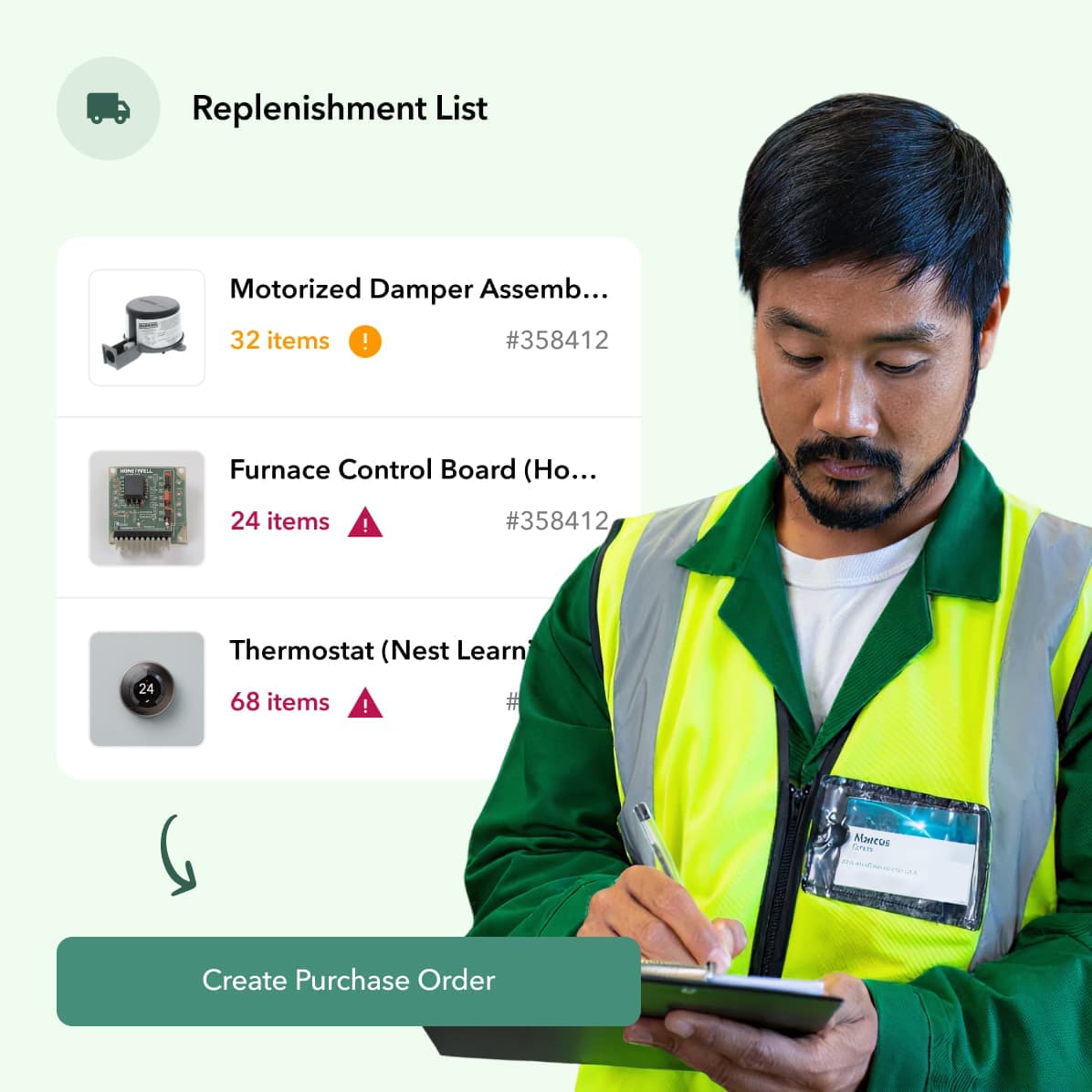
The best systems take this a step further with automated alerts. You can set minimum stock levels for critical parts, and the software will automatically notify you when it’s time to reorder. This proactive approach ensures you always have what you need to keep your team working and your customers happy, turning inventory management from a reactive headache into a smooth, automated process.
Seamless integrations with your existing tools
Your inventory software shouldn’t live on an island. To be truly effective, it needs to communicate with the other platforms you rely on every day. This is where integrations come in. A custom solution should connect directly with your field service management software (e.g., ServiceTitan, Jobber, or Housecall Pro) and your accounting software, such as QuickBooks or Sage Intacct.
This connectivity creates a single, reliable source of information across your entire business. When a technician uses a part on a job, the inventory is updated automatically, and the information flows straight to the invoice. This eliminates tedious double data entry, reduces human error, and streamlines your entire workflow from the field to the back office. You can explore a platform’s integrations to see how well it will fit into your current tech stack.
Mobile access and barcode scanning
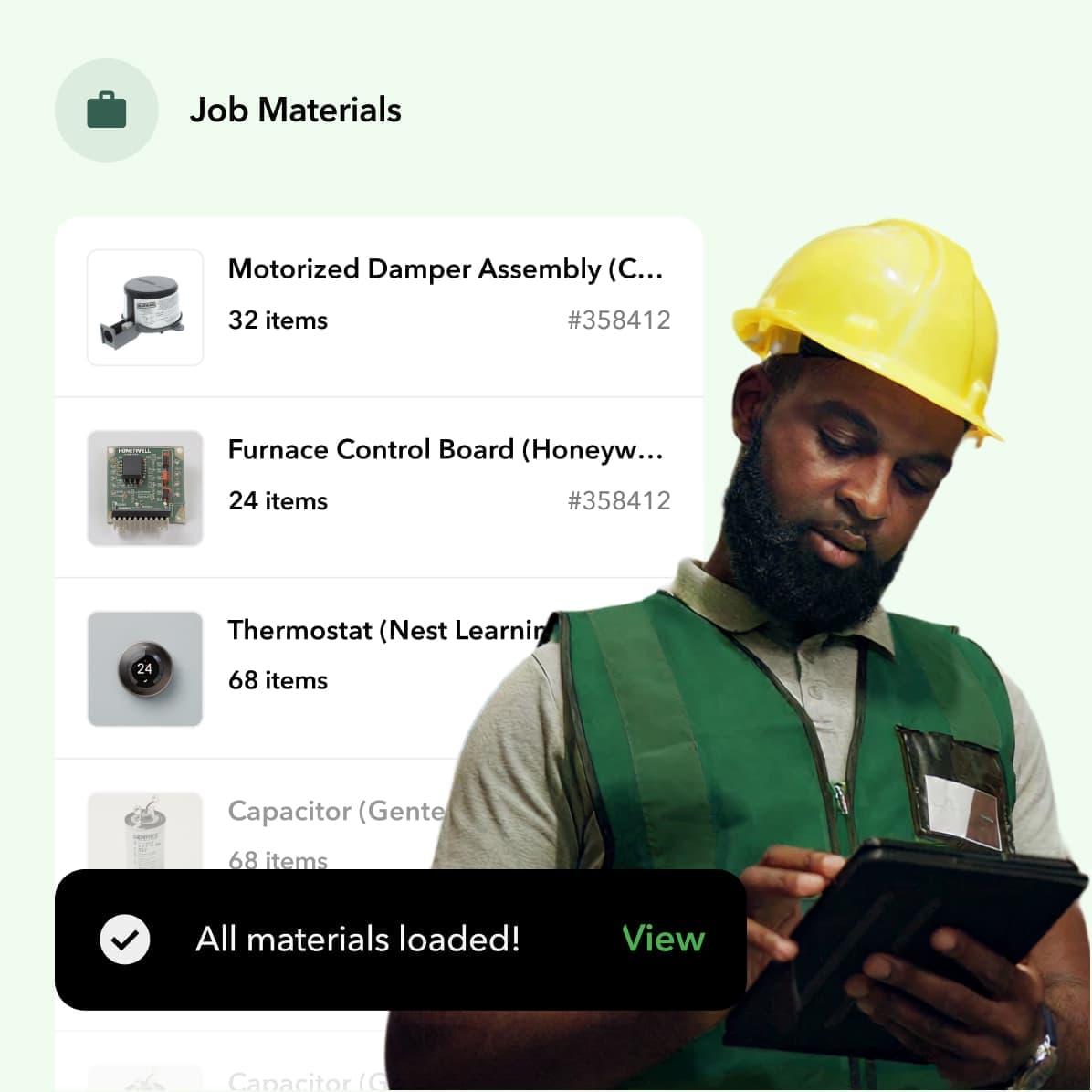
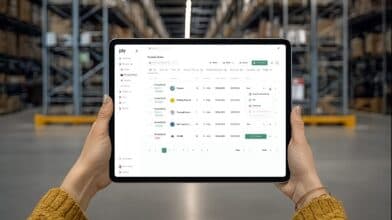
Your technicians spend their days on the road, not behind a desk. Your inventory software needs to be just as mobile as they are. A user-friendly mobile app is essential, allowing your team to check truck stock, log parts used on a job, and see what’s available in the main warehouse, all from their phone or tablet.
To make this process even faster and more accurate, you can just look for a system with barcode and QR code scanning capabilities. Instead of manually typing in long part numbers, techs can simply scan a barcode to update inventory counts, receive shipments, or transfer parts between locations. This simple feature drastically reduces errors and saves your team valuable time on every single job.
Clear reporting and analytics
Managing your inventory isn’t just about knowing what you have—it’s about understanding how you use it. Powerful reporting and analytics features turn your inventory data into actionable business insights. You should be able to easily run reports on inventory turnover, part usage by job or technician, and spending trends over time.
These insights help you make smarter purchasing decisions, identify slow-moving or dead stock that’s tying up cash, and forecast future demand more accurately. With clear dashboards and custom reports, you can spot opportunities to cut costs and optimize your stock levels. A good starting point is to calculate your potential ROI to see how better data can impact your bottom line.
Click here to learn more about how NJ-based Four Quarters Mechanical transformed its HVAC and plumbing business with Ply
Flexibility to scale with your business
The custom solution you choose today should be able to support your business tomorrow and for years to come. As you add more technicians, trucks, and even warehouse locations, your software needs to grow with you without missing a beat. A scalable system can handle an increasing volume of parts, users, and transactions without slowing down or becoming cumbersome.
Beyond just handling more data, the software should be flexible enough to adapt to your evolving needs. Look for a solution that allows you to adjust workflows, add custom fields, and integrate new tools as your business expands. This ensures your investment continues to pay off, providing a solid foundation for future growth.
The best custom inventory management software
Once you’ve decided to go the custom route, the next step is finding the right software for your business. The best solution is the one that fits your specific workflows, not the other way around. Some platforms are built for certain industries, while others offer a blank canvas for you to design exactly what you need. It’s all about matching the tool to your team’s day-to-day reality.
To help you get started, I’ve put together a list of top contenders in the custom inventory space. We’ll look at everything from industry-specific solutions to flexible, no-code platforms that let you build your own system from the ground up. Each one offers a different approach to solving the inventory puzzle, so you can find the perfect fit for your operations.
1. Ply: the go-to for contractors
For contractors looking for truly custom inventory management software, Ply stands out as the best option built specifically for the trades. Rather than offering a generic inventory platform that needs heavy modification, Ply starts with a deep understanding of how contractors actually manage materials across warehouses, service trucks, and active jobs.
Ply delivers customization through configuration, not custom development. The platform is designed around contractor workflows from the start, making it easy to manage truck stock, track job-specific materials, and maintain accurate inventory levels across every location.
Another key advantage is how Ply fits into the tools contractors already rely on. By integrating inventory directly with field service and accounting systems, Ply creates a single source of truth for materials data and reduces manual work and errors.
For growing trade businesses, this balance is critical. Ply provides the level of customization contractors need to operate efficiently today, while remaining scalable as teams add trucks, technicians, and locations.
2. Glide: a no-code platform
Glide is a popular option for businesses that want to build a custom inventory tool without hiring developers. As a no-code platform, it allows users to create apps using templates and visual builders, making it possible to design workflows that match very specific processes.
That flexibility comes with tradeoffs. Glide is a general-purpose app builder, not inventory software built specifically for contractors. Teams often need to invest additional time configuring workflows for truck stock, job-based material usage, and field adoption.
For contractors who want full control and are comfortable owning setup and maintenance long term, Glide can be a viable option. For those looking to achieve the benefits of custom inventory management software faster, trade-specific platforms are often more practical.
3. Sortly: for visual inventory management
Sortly is often chosen by small businesses that want a simple, visual way to track inventory. Its photo-based item lists, QR codes, and easy-to-use interface make it approachable for teams that need basic visibility without a steep learning curve.
That simplicity, however, is also its main limitation for contractors. Sortly is designed primarily for static inventory environments, not for managing materials that move constantly between warehouses, service trucks, and job sites. As contractor operations grow, teams often find themselves supplementing Sortly with spreadsheets or manual processes to track truck stock, job-specific usage, and replenishment needs.
While Sortly works well for lightweight inventory tracking, it can struggle to support the operational complexity of trade businesses. Contractors who need real-time visibility across multiple locations, tighter integrations with field service systems, and automation around purchasing and job costing may quickly outgrow what a visual-first tool can offer.
4. Zoho Creator: a custom app builder
Zoho Creator is a low-code platform designed to help businesses build custom applications, including inventory management tools. Its flexibility allows teams to design workflows, forms, and reports tailored to very specific requirements, making it appealing to organizations with unique or non-standard processes.
For contractors, that flexibility comes with a significant tradeoff: ownership. Zoho Creator is not inventory software built specifically for the trades, so contractor-specific workflows (such as truck stock management, job-based material tracking, and field-friendly usage) must be designed, configured, and maintained internally. Over time, this can create reliance on in-house expertise or external developers to keep the system running smoothly.
As operations scale, maintaining a custom-built inventory app can become a burden. Changes to workflows, integrations, or reporting often require additional configuration and testing. For contractors who want the benefits of custom inventory management without becoming long-term software owners, trade-specific platforms can offer a more efficient and sustainable path.
What problems does custom inventory software actually solve?
If you’re running your inventory on spreadsheets or—let’s be honest—a whiteboard and a prayer, you already know the headaches. You’re dealing with stockouts that delay jobs, techs grabbing the wrong parts from their trucks, and hours wasted on manual counts that never seem to add up. These aren’t just minor annoyances; they’re operational drags that directly hit your bottom line. Custom inventory software is designed to tackle these exact issues head-on. It moves you from reactive problem-solving to proactive management, giving you the control you need to run a more efficient and profitable business.
Eliminates manual data entry and human error
We’ve all been there. A part number is typed incorrectly, a zero is missed, or someone forgets to update the spreadsheet after a job. These small mistakes create big problems, leading to incorrect orders and frustrated customers. Custom inventory software helps you automate tasks like purchase order creation and stock level updates, which drastically reduces the chance of human error. By replacing manual entry with barcode scanning and automated workflows, you ensure your data is accurate and reliable. This means less time spent fixing mistakes and more time focused on completing jobs and growing your business.
Gives you a clear view of inventory across locations
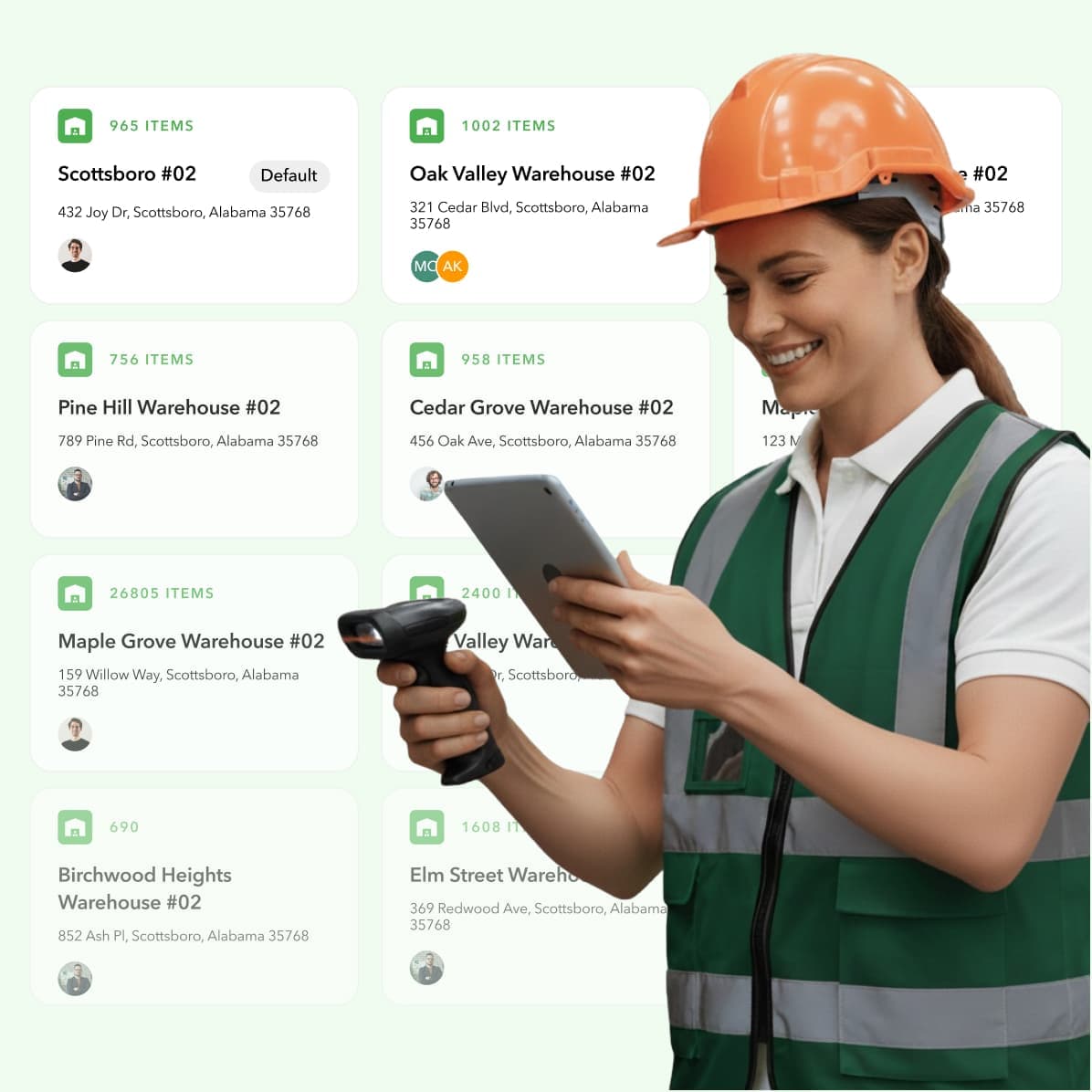
For contractors, inventory isn’t just in the warehouse; it’s spread across multiple service trucks and even on job sites. Trying to keep track of it all manually is nearly impossible. This lack of visibility leads to techs showing up unprepared or making unnecessary trips back to the shop. Custom software provides a centralized system for real-time monitoring of every single item, no matter where it is. You can see exactly what’s on each truck and what’s in the warehouse from a single dashboard, ensuring your team always has the right parts to get the job done on the first visit.
- PRO TIP: Use Ply’s on-site warehouse services to get started
Helps you forecast demand more accurately
Guessing what you’ll need for the busy season can feel like a shot in the dark. Order too much, and your cash is tied up in materials collecting dust. Order too little, and you risk stockouts that bring your operations to a halt. Custom inventory software solves this by tracking historical usage data. It analyzes trends to help you make smarter purchasing decisions, so you know which parts to stock up on and when. This data-driven approach to forecasting ensures you have what you need without overspending on unnecessary inventory, keeping your cash flow healthy.
Puts an end to stock discrepancies
There’s nothing more frustrating than your records saying you have five of a specific part, but your team can only find two. These discrepancies, whether from shrinkage, damage, or items being misplaced, can quietly eat away at your profits. Good inventory software provides end-to-end visibility into your stock. With features like barcode scanning and cycle counts, you can maintain an accurate, real-time record of every item. This means your physical inventory finally matches your digital records, putting an end to the mystery of disappearing parts and giving you a true handle on your assets.
What to expect during implementation
Switching to a new software system can feel like a massive undertaking, but it doesn’t have to be a headache. When you know what’s coming, you can plan for a smooth and successful launch. A good implementation process is a partnership between you and your software provider, designed to get your team up and running with confidence. The entire process typically breaks down into a few key phases: moving your existing data, training your team, connecting the new software to your other tools, and working through any bumps in the road.
Think of it less as flipping a switch and more as a guided transition. Your software partner should provide a clear roadmap, outlining each step from kickoff to go-live. They’ll help you configure the system to match your unique workflows, ensuring it solves the specific problems you hired it to fix. The goal isn’t just to install a new program; it’s to fundamentally improve how your business manages materials. With the right plan and support, you can make the switch efficiently and start seeing the benefits—like clearer inventory visibility and less time spent on manual tasks—almost immediately.
Migrating your data
First things first: let’s talk about your data. Moving your existing inventory lists, supplier information, and purchase histories into a new system is one of the most critical steps. This is the perfect opportunity to do some spring cleaning. Before you migrate anything, take the time to scrub your data for duplicates, errors, and outdated information. Starting with a clean dataset prevents headaches down the line. A common challenge is ensuring the new software is compatible with existing systems, like your accounting platform. Your implementation specialist will work with you to map out the data transfer, making sure everything lands in the right place.
Training your team for a smooth transition
Your new software is only as powerful as the team using it. Proper training is essential for getting everyone on board and ensuring the tool is used correctly from day one. This isn’t just about a single webinar; it’s about providing role-specific guidance for everyone, from the purchasing manager in the office to the technicians in the field. A solid training plan builds confidence and helps overcome any resistance to change. When your team understands the “why” behind the new system and feels comfortable using it, you’ll achieve a much smoother transition and a faster return on your investment.
Integrating with your current workflows
A great inventory management system doesn’t operate in a silo. It should slide right into your existing tech stack, creating a unified ecosystem for your business. This means connecting it with the tools you already rely on every day. For contractors, this often includes field service management software and accounting platforms. By setting up seamless integrations, you can ensure data flows automatically between systems. When your inventory software talks to your accounting software, for example, you eliminate manual data entry, reduce errors, and give everyone a single source of truth to work from.
Overcoming common hurdles
Let’s be real: no major business change is without a few challenges. You might encounter some resistance from team members who are used to the old way of doing things, or you might uncover process gaps you didn’t know you had. The key is to anticipate these hurdles and have a plan to address them. This is where a supportive software partner becomes invaluable. They’ve guided hundreds of businesses through this process and can offer best practices for handling common issues. By focusing on clear communication and celebrating small wins, you can keep the momentum going and prove the value of the new system, which you can measure with an ROI calculator.
How much does custom inventory software cost?
Let’s get straight to the point: how much is custom inventory software going to cost you? The honest answer is, it depends. Building a solution from the ground up with a development agency can be a significant investment. A lean, basic version might start around $18,000, while a more complex system with all the bells and whistles could easily run you $150,000 or more.
But a fully custom build isn’t your only option. Configurable platforms like Ply offer the benefits of a custom-fit solution without the massive price tag of starting from scratch. Instead of a huge upfront capital expense, you get a predictable subscription that fits into your operating budget. This approach gives you a powerful, specialized tool designed for the trades while being much more accessible. The key is to look beyond the initial price and focus on the total value and return you’ll get from the investment.
Understanding pricing models
When you’re looking at inventory software, you’ll generally run into two main pricing models: a one-time license fee or a recurring subscription. The one-time fee can feel appealing because you “own” the software, but it often comes with a hefty initial cost and may not include ongoing updates or support.
A subscription model, often called Software-as-a-Service (SaaS), is much more common today. You pay a monthly or annual fee, which typically includes support, maintenance, and regular updates. This makes it easier to budget for and ensures your software never becomes outdated. It also lowers the barrier to entry, allowing you to get started with a powerful system without a massive upfront investment.
- PRO TIP: Use an ROI calculator to see how quickly monthly payments pay for themselves.
What factors influence the price?
The final price tag of your inventory software is tied directly to its complexity and capabilities. The more features you need, the more you can expect to pay. For contractors, essential features like real-time truck stock tracking, automated purchase ordering, and barcode scanning are non-negotiable.
The biggest price driver is often integrations. Connecting your inventory system seamlessly with the tools you already use is what makes it truly powerful. For example, a direct link to your accounting software like QuickBooks or your field service management platform is crucial for a smooth workflow. The number and complexity of these integrations will play a big role in the overall cost, whether you’re building from scratch or choosing a configurable platform.
Calculating your return on investment (ROI)
Focusing only on the cost of inventory software misses the bigger picture. The real question is, what’s the return on that investment? A good system pays for itself by eliminating costly inefficiencies. Think about the money saved by reducing material waste, preventing inventory shrinkage, and cutting down on last-minute, expensive trips to the supply house.
Your ROI also comes from time savings. When your techs aren’t wasting hours searching for parts and your office staff isn’t bogged down with manual data entry, they can focus on what really matters: completing jobs and serving customers. The right software helps you streamline operations from purchasing to job costing, giving you a clear view of your profitability and helping you book more work.
Which industries get the most out of custom inventory software?
While almost any business that holds stock can use inventory software, some industries deal with so much complexity that off-the-shelf solutions just don’t cut it. For these businesses, a custom system isn’t a luxury; it’s a necessity for staying competitive and profitable. From tracking thousands of tiny components to managing materials across multiple job sites, custom software is built to handle the unique challenges that standard systems can’t. If your inventory is a core, complex part of your operations, you’re likely in an industry that benefits most from a tailored solution.
Manufacturing and production
For manufacturers, inventory is a constantly moving target. You’re not just tracking finished goods; you’re managing raw materials, work-in-progress components, and spare parts. A custom system can connect all these dots, offering a clear view of the entire production line. It can help with production planning by ensuring you have the right materials on hand to meet demand without tying up cash in excess stock. Advanced features like IoT integration can even track machine performance and predict maintenance needs, preventing costly downtime. This level of control helps reduce waste, improve quality, and keep production running smoothly.
Retail and e-commerce
Retail and e-commerce businesses live and die by their ability to meet customer demand. A custom inventory system is essential for managing the fast-paced flow of products. It helps you avoid stockouts on popular items while preventing overstocking on things that aren’t selling. For businesses with both a physical and online presence, a custom solution can sync inventory across all channels in real time, providing a seamless omnichannel experience for customers. It can also handle complex logistics like returns, exchanges, and seasonal demand spikes, giving you the data you need to make smarter purchasing decisions.
Healthcare and medical supplies
In healthcare, inventory management is a critical function where mistakes can have serious consequences. Hospitals and clinics need to track a vast range of items, from basic supplies to life-saving medications and equipment. A custom software solution can manage expiration dates, track lot numbers for recalls, and ensure compliance with strict industry regulations. It helps prevent stockouts of essential supplies and reduces the waste of expired products. By automating these processes, healthcare providers can ensure they have the right tools and medications available for patient care at all times, improving both efficiency and safety.
Contractors and trade businesses
Contractors in the trades (HVAC, plumbing, electrical, etc.) face the unique challenge of managing inventory across a central warehouse and multiple service trucks. A custom solution provides a unified view of all materials, whether they’re on a shelf or in a vehicle. This ensures technicians arrive at a job site with the right parts, minimizing delays and extra trips to the supply house. By tracking materials from purchase to installation, trade businesses can improve job costing accuracy, reduce shrinkage, and streamline their purchasing process. This ultimately leads to more organized operations, lower costs, and the ability to complete more jobs.
How to choose the right custom inventory software
Choosing the right custom inventory management software starts with understanding what “custom” actually means for your business. The best solution isn’t the one with the most features, it’s the one that aligns most closely with how your team works in the real world.
Look closely at your day-to-day operations. Where does inventory break down today? For most contractors, the biggest challenges involve managing truck stock, tracking materials across jobs, and keeping inventory data in sync with other systems.
Fully bespoke builds and no-code platforms can offer deep flexibility, but they also introduce long-term ownership and maintenance overhead. For many contractors, configurable, trade-specific platforms deliver the right balance of customization and simplicity.
The right custom inventory management software gives you control without creating new burdens, allowing customization to be a competitive advantage rather than an ongoing project.
Define your business’ specific needs
Before you even look at a demo, take some time to map out exactly what you need from an inventory system. Every trade business is different, so what works for one contractor might not work for you. Start by identifying your biggest pain points. Are you constantly losing track of parts on service trucks? Is your purchasing process a mess of spreadsheets and phone calls? Make a list of your must-have features. Understanding your specific business needs will help you select a solution that aligns with your operational requirements. Consider everything from real-time tracking and purchase order management to integrations with the accounting software you already use. This initial step is the most important one—it creates the blueprint for your entire search.
Evaluate different vendors and their support
Once you have your list of needs, it’s time to see what’s out there. Schedule demos with a few top contenders and come prepared with questions. Ask them to show you how their software solves the specific problems you identified. Beyond the software itself, pay close attention to the company. What is their customer support like? Can you get a real person on the phone when you need help? A great tool is only as good as the team behind it. It’s also essential to confirm that the software can integrate with your other systems, like your field service management or accounting platform. Creating a connected system where all your tools communicate seamlessly is the goal.
Plan for a successful launch
Choosing your software is a major milestone, but the work isn’t over yet. A successful implementation is what turns a great tool into a game-changing asset for your business. A well-planned launch can significantly impact how effective your new system is. Work with your chosen vendor to create a clear rollout plan. This should cover migrating your existing data, training your technicians and office staff, and phasing the new software into your daily workflows. There might be a few bumps along the way, but a solid plan and a supportive partner will make the transition much smoother. Investing time in a thoughtful implementation ensures your team adopts the new system and you start seeing a return on your investment right away.
Related articles
- 6 Best Inventory Management Software 2025
- 5 Best Construction Inventory Management Software
- Inventory Management Software: The Ultimate Guide
Frequently asked questions
“Custom” sounds expensive and complicated. Is a platform like Ply the same as building software from scratch?
That’s a great question, and it’s a common point of confusion. Building software from the ground up with a development agency is indeed a major project that can be very expensive and time-consuming. A configurable platform like Ply is different. It’s a specialized solution that’s already been built specifically for the trades, but it’s designed to be flexible. You get the benefits of a system tailored to your workflows—like managing truck stock and integrating with ServiceTitan—without the cost and complexity of starting from zero.
How much time does it take to get a new inventory system up and running?
The timeline can vary, but it’s much faster than you might think. With a platform that’s already designed for your industry, you’re not starting from scratch. The implementation process typically involves cleaning up and migrating your existing data, setting up integrations with your other tools, and training your team. A dedicated implementation partner will guide you through each step. Most businesses are able to get fully up and running in a matter of weeks, not months.
My technicians aren’t tech-savvy. How can I be sure they’ll actually use a new mobile app?
This is one of the most important factors for success. The best systems are designed with the field technician in mind, meaning they are simple, intuitive, and solve a real problem for them. Features like barcode scanning, for example, make it faster to log a part than writing it down. When your team sees that the new tool saves them time and eliminates frustrating paperwork, adoption happens naturally. Good training and a user-friendly interface are key.
Is custom inventory software only for large companies with huge warehouses?
Not at all. In fact, small and medium-sized businesses often see the biggest impact from getting their inventory organized. When you’re running a lean operation, every dollar and every minute counts. A good system helps you stop wasting money on misplaced materials and frees up your team from tedious manual counts. It provides the structure you need to grow efficiently, whether you have two trucks or twenty.
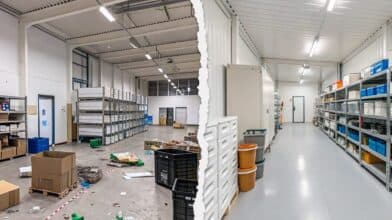
We manage okay with spreadsheets now. What’s the biggest immediate benefit we’ll see from switching? The biggest and most immediate change you’ll experience is clarity. Instead of guessing what’s on a truck or spending hours trying to reconcile your records, you’ll have a single, accurate view of your entire inventory in real time. This means no more last-minute trips to the supply house for a part you thought you had, which saves you time and money on day one.