Home > Blog > Inventory Management Software Apps: Top 6 for 2026

Inventory Management Software Apps: Top 6 for 2026

Laptop and smartphone displaying an inventory management software app dashboard with analytics.

What if you could guarantee every part used on a job was accurately billed to the customer? Or eliminate those costly, last-minute runs to the supply house for a part you thought you had? This isn’t just wishful thinking; it’s what happens when you get a real handle on your materials. Effective inventory control is about more than just counting parts—it’s about improving cash flow, increasing job profitability, and freeing up your team to do their best work. The key is finding the right inventory management software app that connects your office, your warehouse, and your techs in the field. In this guide, we’ll break down the essential features you need to look for and compare the top options, so you can choose a system that delivers real, measurable results.

Key takeaways

  • Focus on Fit, Not Just Features: The best inventory app is the one that solves your specific operational headaches. Prioritize trade-specific functions like real-time truck stock tracking and seamless integrations with your existing field service and accounting software.
  • Prepare Your Team for the Change: New software is only effective if your team uses it correctly. A successful rollout depends on a clear plan for migrating data, providing hands-on training, and ensuring everyone is comfortable with the new system from day one.
  • Measure the Impact on Your Bottom Line: To confirm your investment is paying off, track key metrics beyond just inventory counts. Monitor improvements in areas like stockout frequency, job completion times, and overall material cost savings to see the software’s true value.

What to look for in an inventory management app

Choosing the right inventory management app feels a lot like picking a new power tool—you need the one that’s built for the job you actually do. A solution designed for a retail shop won’t have the features a growing HVAC or plumbing business needs. As you compare options, it’s easy to get distracted by flashy dashboards and long feature lists. Instead, focus on the core functions that will solve your biggest headaches, like tracking parts across multiple service trucks or making sure you never run out of a critical component mid-job.

The best app for your business will feel like a natural extension of your workflow, not another complicated system you have to fight with. It should give you clear visibility into what you have, where it is, and when you need to order more. Think about your day-to-day operations: your techs in the field, your team in the warehouse, and your staff in the office. The right software connects all of them, making your entire material management process smoother and more profitable. Look for a system with the right inventory features that can handle the unique demands of a trade business.

Real-time tracking across all locations

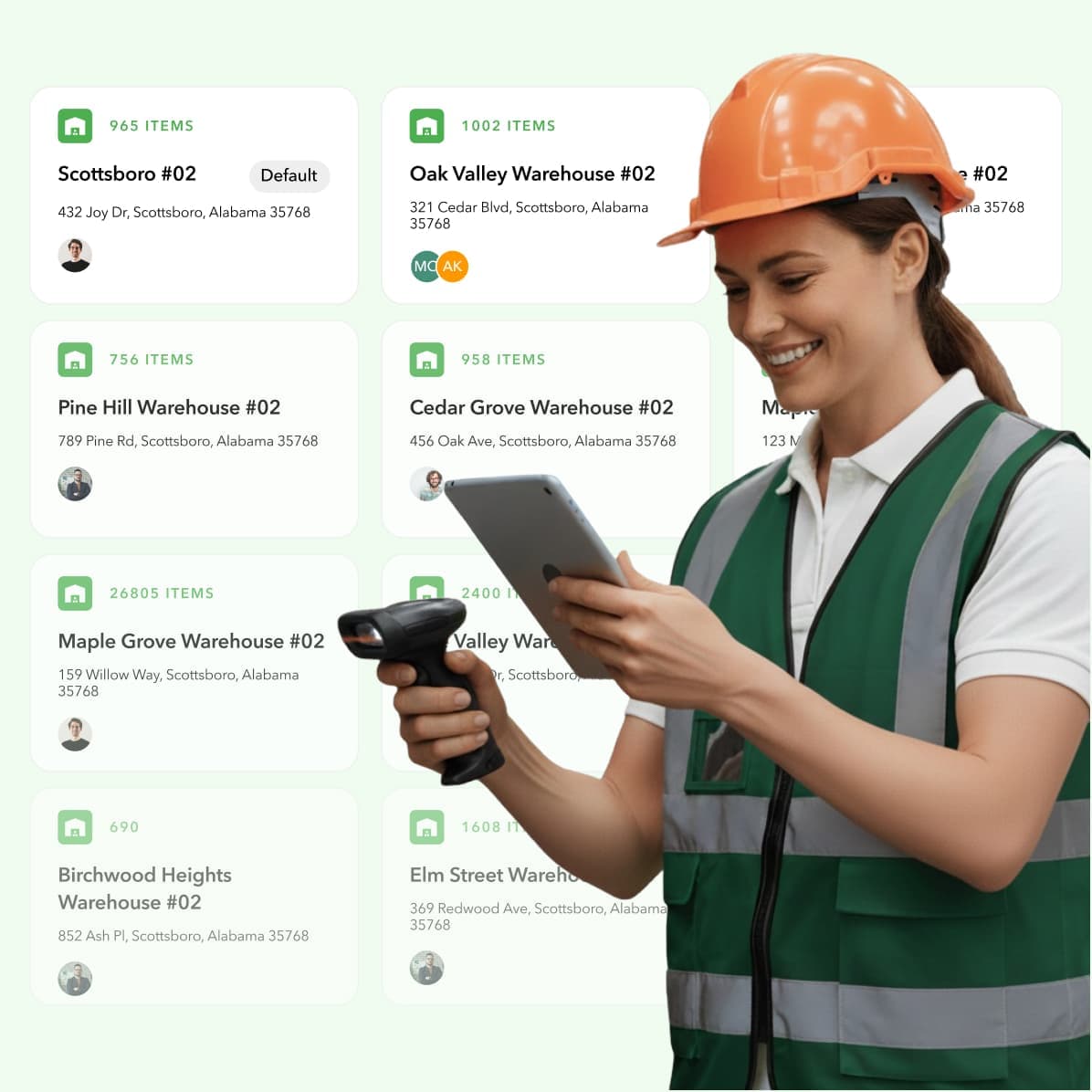
Knowing what you have in the warehouse is one thing, but what about the parts on every truck in your fleet? For trade businesses, inventory isn’t static—it’s constantly moving between the shop, suppliers, and job sites. You need an app that provides a single source of truth with real-time updates. When a tech uses a part, the system should reflect that change instantly for everyone. This eliminates the guesswork, prevents ordering duplicates, and stops techs from driving to a job unprepared. Outdated spreadsheets or manual counts just can’t keep up, leading to stockouts and costly delays.

Mobile access for your team in the field

Your technicians are your front line, and they need information at their fingertips. An inventory app with a user-friendly mobile interface is non-negotiable. It allows your team to see what’s on their truck, find parts on a coworker’s truck nearby, and log materials used on a job right from their phone or tablet. This immediate data entry keeps your inventory counts accurate and gives office staff the information they need for billing and reordering. A good mobile app means less paperwork for your techs and fewer frantic calls back to the office asking, “Do we have this part?”

A brief video walkthrough of the mobile interface for Ply’s technician application


Integrations with your current systems

Your inventory doesn’t exist in a vacuum. It connects directly to your job management and accounting. The last thing you want is a new app that forces you to manually enter data into your other essential software. Look for a solution that offers seamless integrations with the tools you already rely on, like QuickBooks for accounting or field service platforms like ServiceTitan, Jobber, or Housecall Pro. This ensures that when a part is used on a job, it’s automatically added to the invoice and deducted from your books, saving you hours of administrative work and reducing the risk of human error.

Automated ordering and forecasting

How much time do you or your team spend creating purchase orders and dealing with suppliers? The right inventory app can automate this entire process. You can set minimum stock levels for essential parts, and the software will automatically generate a purchase order when you’re running low. This proactive approach prevents stockouts and eliminates last-minute, expensive runs to the supply house. Good software also provides forecasting tools that analyze your past usage to help you predict future needs, ensuring you have the right materials on hand for seasonal demand without tying up cash in excess inventory.

Custom reports and analytics

You can’t improve what you don’t measure. A powerful inventory app does more than just track parts; it gives you the data to make smarter business decisions. Look for customizable reporting features that let you see your most-used items, track inventory turnover, and monitor costs. By setting and tracking key performance indicators (KPIs), you can identify which parts are most profitable, where you might be losing money to shrinkage, and how to optimize your stock levels for maximum efficiency. These insights are critical for controlling costs and growing your bottom line.

The best inventory management apps for your business

Choosing the right software can feel like a huge decision, but it really comes down to finding the tool that fits your specific workflow. Whether you’re running a multi-truck HVAC business or a boutique retail shop, there’s an app designed to make your life easier. We’ve looked at the top contenders to help you see how they stack up and which one might be the perfect fit for your team. Here’s a breakdown of our favorite inventory management apps.

1. Ply: Best for contractors and trade businesses

If you’re in the trades, you know that your inventory needs are unique. You’re not just tracking items on a shelf; you’re managing parts on trucks, materials for specific jobs, and complex purchase orders. Ply is built from the ground up for contractors in fields like HVAC, plumbing, and electrical. It simplifies how you buy and manage materials, from the warehouse to the job site. It’s designed to handle the chaos of truck stock, special orders, and project-based purchasing, all while integrating with the field service and accounting software you already use. This isn’t a generic solution adapted for the trades—it’s a purpose-built tool to solve your specific challenges.

2. Odoo: An all-in-one business solution

Odoo is a great option for businesses that want a single, unified system to run their entire operation. It’s a suite of open-source business apps, and you can pick and choose the modules you need, including inventory, CRM, accounting, and project management. This modular approach means you can start with just inventory management and add more functionality as your business grows. It’s highly customizable, which is a huge plus if you have specific processes. However, that same flexibility can also mean a steeper learning curve compared to more specialized, out-of-the-box solutions. It’s best for companies that want to build a custom, all-encompassing software ecosystem.

3. Sortly: solid for visual inventory management

For small businesses that need a simple, straightforward way to see what they have on hand, Sortly is a fantastic choice. Its biggest strength is its visual, intuitive interface. You can add photos of your items, create custom fields, and generate QR or barcodes to easily track everything with your phone. This makes it incredibly easy for your whole team to get on board quickly. Sortly is perfect for tracking tools, equipment, and supplies without the complexity of a full-blown enterprise system. If you find traditional spreadsheets and SKU lists overwhelming, Sortly’s visual approach could be exactly what you need.


4. Zoho Inventory: A good option for those in the Zoho ecosystem

Zoho Inventory is a cloud-based inventory management tool popular with small and mid-sized businesses, especially those selling products online. It performs well in multi-channel environments, helping teams track stock across e-commerce platforms, automate reorder points, and manage purchase orders. For contractors, it can be a step up from spreadsheets by centralizing parts lists and providing basic inventory visibility.

However, Zoho Inventory is built around retail and fulfillment workflows, not job-based field service work. Materials are tracked as items sold or transferred rather than parts consumed on specific jobs by technicians, which often leads to manual reconciliation and workarounds for job costing and truck stock. As operations scale, many contractors find they need a contractor-first platform like Ply that ties inventory directly to jobs, trucks, and technicians so accuracy doesn’t depend on after-the-fact updates.

5. Square: Best for retail businesses

If you run a retail shop, café, or even a mobile business like a food truck, Square is a top contender. It’s best known as a payment processor, but its platform includes a robust and user-friendly inventory management system. Because it’s fully integrated, your sales and stock levels are always in sync in real-time. When you sell an item, the inventory count updates automatically. Square for Retail offers features like low-stock alerts, vendor management, and detailed sales reports. It’s an ideal solution for businesses that need a seamless connection between their point-of-sale and their back-of-house operations.

6. Lightspeed: Best for multi-location retailers

Lightspeed is a robust inventory and point-of-sale platform designed for retail businesses with multiple locations. It excels at tracking stock across stores, managing suppliers, and providing detailed sales and inventory analytics from a centralized system. For trade businesses with a strong counter-sales component, it can handle basic shop-level inventory needs.

That said, Lightspeed is fundamentally POS-driven, which makes it a poor fit for job-based field service work. Inventory usage in the field, truck stock management, and job-level material tracking are not native workflows, often requiring manual processes or additional systems. For contractors who don’t operate like retailers, platforms like Ply offer a more natural fit by focusing on job-driven inventory rather than point-of-sale transactions.

Pros and cons of each inventory app

Every business has unique needs, so what works perfectly for one might not be the right fit for another. A residential plumbing company has different inventory challenges than a multi-location retailer. To help you find the best match, let’s break down the good and the not-so-good for each of our top inventory apps. This side-by-side look will help you see which one truly aligns with your operational goals and team structure.

Ply: what to like and what could be better

Ply shines with its real-time inventory tracking, which helps you keep stock counts accurate and prevent costly overstocking or running out of a critical part. Its purchasing tools are powerful, and the platform was built specifically for the trades. The biggest advantage is its deep integrations with the software you already use, like ServiceTitan, Jobber, and QuickBooks, which creates a smooth workflow across your entire operation.

On the flip side, if you’re moving from a very basic pen-and-paper system, Ply’s robust feature set might feel like a big jump. There can be a learning curve, but the efficiency gains are well worth the initial time investment.

Odoo: what to like and what could be better

Odoo is a powerhouse because it’s more than just an inventory app—it’s a full suite of business applications. If you want one system to handle everything from inventory to CRM and accounting, Odoo is a strong contender. It’s highly customizable and supports automated workflows that can seriously streamline your inventory management.

However, all that power can be a bit much. The sheer number of features can be overwhelming for new users, and getting it set up just right can be a complex and time-consuming project. It’s best for businesses ready to commit to an all-in-one solution.

Sortly: what to like and what could be better

Sortly’s biggest win is its simplicity and visual approach. You can track items with photos, which makes identifying parts and equipment incredibly easy. It’s very user-friendly, and its mobile app is fantastic, allowing you and your team to manage inventory from anywhere, whether in the warehouse or on a job site.

The big drawback is that Sortly’s reporting features are somewhat limited. If your business requires deep, detailed analytics on inventory performance, you might find it doesn’t quite meet your needs. It’s a great choice for businesses that prioritize ease of use over complex data analysis.

Zoho inventory: what to like and what could be better

If you’re already using other Zoho products, Zoho Inventory is a natural fit. It integrates seamlessly into the Zoho ecosystem and connects well with other third-party platforms. Features like automated stock updates and multi-channel selling are particularly useful, especially for businesses that sell products online in addition to their service work.

Some users find the interface isn’t as intuitive as some of its competitors, which can mean it takes a little longer for your team to get comfortable with it. It’s a solid, feature-rich option, but be prepared for a bit of an adjustment period as you learn your way around.

Square: what we like and what could be better

For businesses with a retail or counter-sales component, Square is a top-tier choice because of its tight point-of-sale (POS) integration. It makes managing inventory alongside your daily sales incredibly simple. The setup is straightforward, and the interface is clean and easy to use, making it very accessible for business owners who wear many hats.

The trade-off for that simplicity is a lack of some advanced inventory features. Larger businesses or those with more complex supply chains might find Square’s capabilities a bit too basic for their needs. It’s ideal for companies that need a reliable, all-in-one sales and inventory solution.

Lightspeed: what we like and what could be better

Lightspeed is another excellent option for retail and restaurant businesses, offering powerful inventory features with detailed reporting and analytics. It’s particularly strong for businesses with more than one storefront, as it excels at multi-location inventory management. This allows you to track stock across all your warehouses or trucks from a single dashboard.

The main consideration with Lightspeed is the price. It tends to be on the higher end of the spectrum, which might put it out of reach for small businesses or startups just getting off the ground. It’s a premium solution for established businesses ready to invest in a comprehensive system.

Click here to learn more about how Budd’s Plumbing saved $thousands by using Ply to optimize it’s day-to-day inventory management


Comparing inventory app pricing

Figuring out software pricing can feel like trying to solve a puzzle. With so many different models and tiers, it’s tough to know if you’re getting a good deal. The key is to look beyond the monthly price tag and understand the total cost and value for your business. A cheap plan that doesn’t have the features you need will cost you more in the long run through inefficiency and lost time. Let’s break down the common pricing structures you’ll encounter so you can compare your options with confidence.

Subscription vs. one-time purchase

Most modern inventory management apps operate on a subscription model, often called Software-as-a-Service (SaaS). You pay a recurring monthly or annual fee for access to the software, which includes regular updates, customer support, and secure cloud hosting. This model keeps your upfront costs low and ensures you’re always using the latest version. Less common today is the one-time purchase for a lifetime license. This is typically for on-premise software that you install and maintain on your own servers. While it seems cheaper initially, you might face extra costs for updates, support, and the IT overhead required to manage it. For most trade businesses, a predictable subscription is the more practical and scalable choice.

Per-user vs. flat-rate pricing

Within the subscription model, you’ll usually find two main approaches. Per-user pricing means the monthly cost is based on how many people on your team need access. This can be a great starting point for smaller crews, but the cost can climb quickly as you hire more technicians and office staff. The alternative is flat-rate pricing, where you pay a set price for a package of features, often with a generous or unlimited user count. This makes budgeting much easier and ensures you won’t be penalized for growing your team. When evaluating options, think about your hiring plans for the next few years to see which model offers better long-term value.

What you get with free plans

Everyone loves free, but when it comes to business software, a free plan is usually just a teaser. These plans are designed for very small operations and come with strict limitations on the number of items, users, or locations you can manage. They almost always lack the critical features that drive real efficiency, like robust reporting or integrations with your accounting software. Think of a free plan as an extended test drive to get a feel for the user interface. It can be a good starting point, but a growing trade business will quickly outgrow its capabilities. Most companies find that the real value lies in paid plans, which can start anywhere from $25 to $100 per month for basic systems.

Costs for growing businesses

The software that works for you today needs to work for you tomorrow. As your business grows, you’ll be adding more trucks, hiring more techs, and maybe even opening a new location. The last thing you want is to be forced into a complicated software change because your current system can’t keep up. Before you commit, look at the provider’s different pricing tiers. How much will it cost to add more users or locations? Does the platform offer more advanced features you might need down the road, like multi-warehouse management or automated purchasing? Choosing a scalable solution from the start saves you major headaches later. You can use an ROI calculator to see how the right software investment pays off as you expand.

Can you try before you buy? a look at free trials

Taking a new software for a spin before you commit is a no-brainer. Most inventory management apps offer some kind of free trial so you can see if it’s the right fit for your business. This is your chance to get under the hood and test out the features that matter most to your daily operations. Think of it as a hands-on interview for a new digital team member. You’ll want to see how it handles your real-world scenarios, from tracking parts on a service truck to generating a report for your weekly meeting.

A good trial lets you experience the software’s core functions without pulling out your credit card. You can see how intuitive the interface is, how quickly you can find what you need, and whether it genuinely makes your workflow smoother. This is also the perfect time to kick the tires on customer support. If you run into a snag, how easy is it to get help? The goal is to walk away from the trial period with a clear picture of how the app will impact your business, your team, and your bottom line.

What to expect from a free trial

During a free trial, you should get access to the software’s key features. This is your opportunity to test its main capabilities, like tracking inventory levels, running reports, and seeing how it connects with the other systems you already use. For trade businesses, a crucial test is how well the software integrates with your accounting software like QuickBooks. This connection is vital for tracking expenses and understanding your profitability without creating extra work. Use this time to upload a small portion of your actual inventory data to see how the system handles your specific parts and materials.

Freemium vs. free trial models

It’s helpful to know the difference between a freemium plan and a free trial. A freemium model gives you access to a basic version of the software for free, forever. It’s a good option for very small businesses, but the features are often limited. A free trial, on the other hand, gives you full access to all the premium features for a limited time, usually 14 or 30 days. This lets you experience the software’s full power. After the trial, you’ll need to choose a paid plan to continue, with subscription costs often varying based on your business size and needs.

What to test during your trial period

To make the most of your trial, go in with a plan. Before you even sign up, jot down your biggest inventory headaches and the must-have features you need to solve them. Once you’re in, test those specific scenarios. Can you easily check truck stock from a phone? Can you set up low-stock alerts for critical parts? Good inventory software should help you automate tasks and reduce human error, so try setting up an automated purchase order. Run a few different reports to see if the data is clear and actionable. The goal is to confirm that the software not only works but works for your business.

What to expect when you implement new software

Switching to a new inventory management system can feel like a massive undertaking, but it doesn’t have to be a headache. Knowing what’s coming can make the entire process smoother for you and your team. Think of it less as a giant leap and more as a series of manageable steps. The right software partner will guide you through the transition, but it helps to have a clear picture of the road ahead.

The key is to break the implementation down into four main stages: moving your data, getting your team comfortable with the new tool, connecting it to your existing software, and double-checking that everything works together seamlessly. By focusing on one piece at a time, you can ensure a successful rollout that sets your business up for better efficiency and less stress. Let’s walk through what each of these stages looks like in practice.

Stage 1: Moving your data over

First things first, you need to get your existing information into the new system. This means transferring your parts lists, supplier details, and current stock levels from spreadsheets or an old system. One of the most common hurdles here is ensuring the new software can talk to your other essential tools, like your accounting platform. Data migration can be tricky if not handled correctly, so it’s important to plan this step carefully. Look for a software provider that offers support during this phase—many have dedicated teams or simple import tools to make the process as painless as possible.

Stage 2: Getting your team on board

A new tool is only effective if your team actually uses it. That’s why training is non-negotiable. A structured training plan ensures everyone understands how to use the software for their specific tasks, from techs in the field to the purchasing manager in the office. The most effective approach is often hands-on training where your team can practice tracking inventory and organizing truck stock in the new system. Investing time upfront to get everyone comfortable will prevent confusion and frustration down the line, leading to faster adoption and better results.

Stage 3: Connecting your other tools

Your inventory app shouldn’t operate in a silo. For your operations to run smoothly, it needs to connect with the other software you rely on every day. This includes your field service management platform, like ServiceTitan or Jobber, and your accounting software, like QuickBooks. These integrations are vital for creating a single source of truth for your business, eliminating double entry, and ensuring your job costing and invoicing are always accurate. Before committing to a new system, make sure it connects seamlessly with the tools you already use.

Stage 4: Checking for compatibility issues

Finally, it’s crucial to spot any potential conflicts before you’re fully reliant on the new system. Sometimes, challenges arise from outdated technology or systems that just don’t play well together. For example, if your team is using older mobile devices, you’ll want to confirm the new app works on them. Addressing these inventory management challenges early on saves you from major headaches later. A good implementation process includes testing everything to ensure all your systems are communicating correctly and your data is flowing where it needs to go.

It’s time to measure whether this new tool is actually making a difference in your day-to-day operations and, more importantly, your bottom line.


How to know if your new software is working

You’ve made the switch, moved your data, and trained your team on a new inventory management system. So, what now? The real test begins. It’s time to measure whether this new tool is actually making a difference in your day-to-day operations and, more importantly, your bottom line. You don’t need to be a data scientist to figure this out. By keeping an eye on a few key performance indicators (KPIs), you can get a clear picture of the software’s impact.

Think of it like checking the specs on a new piece of equipment. You want to see if it’s performing as promised. Is it making your team more efficient? Is it saving you money on materials? Is it helping you complete jobs faster and keep customers happy? The right software should deliver tangible results. We’ll walk through the most important metrics to track, so you can confidently assess your return on investment and ensure your new system is pulling its weight.

Inventory turnover and stock levels

Your inventory turnover rate is a core metric that shows how efficiently you’re moving through materials. It tells you how many times you sell and replace your stock over a specific period, usually a year. A higher turnover rate is generally better, as it means your capital isn’t just sitting on a shelf collecting dust. Your new software should give you the data to find the sweet spot—maintaining optimal stock levels to meet demand without overstocking. This prevents tying up cash in excess inventory and reduces the costs associated with storing it. With clear insights, you can make smarter purchasing decisions and keep your inventory lean and effective.

Stockout frequency and customer happiness

There’s nothing more frustrating than having to delay a job because you’re missing a critical part. These stockouts don’t just cause delays; they can lead to lost sales and damage your reputation. One of the biggest benefits of a good inventory system is reducing how often this happens. By providing real-time visibility into what you have on your trucks and in the warehouse, the software helps you prevent shortages before they occur. When you consistently have the materials you need, you can complete jobs on time, which is a huge factor in customer satisfaction. A noticeable drop in stockouts is a clear sign your new system is working.

Supply chain and lead time speed

Lead time is the period between placing an order with a supplier and receiving the materials. Long and unpredictable lead times can throw a wrench in your scheduling and force you to carry more safety stock than you’d like. Your new inventory software should help tighten up this process. Features like automated purchase orders, supplier management, and order tracking can significantly shorten your lead time. When you can get materials faster and more reliably, you can respond more quickly to customer needs and operate with greater agility. A reduction in the average time it takes to get parts is a strong indicator that your software is improving your supply chain efficiency.

Inventory accuracy and cost savings

Knowing exactly what you have and where it is sounds simple, but inaccuracies can be incredibly costly. Ghost inventory—items your system says you have but are nowhere to be found—can lead to stockouts, while over-ordering based on incorrect data results in wasted money and space. High inventory accuracy is essential for minimizing these costs. Your new software should make it easy to track every item from purchase to installation, reducing manual errors and providing a single source of truth. When your digital records match your physical stock, you can cut down on holding costs, prevent unnecessary purchases, and see a direct, positive impact on your profitability.

How to choose the right inventory app for your business

Picking the right inventory app feels a lot like choosing a new truck. You wouldn’t buy a compact pickup if you need to haul heavy equipment, and you wouldn’t invest in a semi-trailer for small residential jobs. The “best” option is the one that fits the specific demands of your business. Before you get dazzled by feature lists and demos, it’s smart to take a step back and get clear on what you actually need. A great inventory app should solve your biggest headaches, whether that’s tracking parts from the warehouse to the job site, stopping unaccounted-for materials from eating into your profits, or just making purchasing less of a chaotic scramble.

Think about the real-world problems you want to solve. Are you losing money on materials that were never billed to a job? Are your techs wasting time driving back to the shop for a part they thought was on their truck? Getting specific about these pain points will turn your search from a guessing game into a strategic decision. Once you know the problems, you can look for the features that solve them. The goal is to find a tool that not only organizes your inventory but also makes your entire operation more efficient and profitable. You can even calculate the potential return on investment to see how the right software can impact your bottom line.

Step 1: Define your business size and needs

The needs of a solo electrician are vastly different from those of a plumbing company with 50 trucks on the road. Your business size, number of employees, and operational complexity will be the biggest factors in determining the right software for you. This is why inventory management software costs can range from less than $100 a month for a simple plan to thousands for an enterprise-level system. Before you start comparing options, ask yourself a few key questions: How many people on my team will need to use the app? How many locations—including warehouses and service vehicles—do I need to track? What is my monthly budget? Answering these will help you narrow the field to realistic contenders.

Step 2: List your industry-specific must-haves

Generic, off-the-shelf inventory software often doesn’t cut it for trade businesses. You have unique challenges that require specific features. Think about your daily operations and list the non-negotiables. This could include real-time truck stock management, barcode scanning for easy check-in and check-out, purchase order creation, and the ability to assign materials to specific jobs for accurate costing. A great way to build this list is by looking at your business goals. By setting key performance indicators (KPIs) like reducing stockouts or improving first-time fix rates, you can identify the features that will directly help you hit those targets.

Step 3: Check for essential integrations

Your inventory doesn’t exist in a vacuum. It connects to your job management, dispatching, and accounting. The last thing you want is a new app that forces you to do double the data entry. A common challenge is ensuring the inventory app works smoothly with your existing systems, especially your accounting software. Look for a solution that offers pre-built integrations with the tools you already use, like ServiceTitan, Housecall Pro, or Jobber for field service management, and QuickBooks or Sage for accounting. Seamless integration means less manual work, fewer errors, and a single source of truth for your financial and operational data.

Step 4: Consider your team’s comfort with tech

The most powerful software in the world is useless if your team finds it too complicated to use. Your technicians are busy in the field, and they need a tool that is intuitive and easy to use on a mobile device. When evaluating options, look at the user interface. Is it clean and straightforward? Can a tech quickly find a part, assign it to a job, and get back to work? Beyond the app itself, consider the support and training offered. A well-organized training program and accessible customer support can make all the difference in getting your team on board and ensuring a smooth transition.

Related articles


Frequently asked questions

I’m a small contractor. is a dedicated inventory app really necessary for my business?

It’s a fair question, especially when you’re trying to keep overhead low. Think of it less as another expense and more as a tool to stop hidden profit leaks. Even in a small operation, unaccounted-for parts, last-minute trips to the supply house, and time spent searching for materials add up quickly. An inventory app helps you build the right habits from the start, ensuring every part is billed for and your team always has what it needs to do the job right the first time.

What’s the biggest difference between a generic inventory app and one built specifically for the trades?

The main difference is that a generic app thinks your inventory lives on a shelf, while a trade-specific app knows it lives on your trucks. Software designed for contractors understands the unique workflow of managing mobile stock, assigning materials directly to jobs for accurate costing, and creating purchase orders for specific projects. A generic retail app simply isn’t built to handle the dynamic, on-the-move nature of a service business.

How difficult is it to get my team to start using a new inventory app?

Team adoption is one of the biggest hurdles, but it’s manageable with the right approach. The key is to choose software with a clean, simple mobile interface that doesn’t require a manual to operate. When you introduce it, focus on how it makes their job easier—less paperwork, fewer calls back to the office, and no more wasted time looking for a part. Involving your lead technicians in the selection process can also make a huge difference, as they’ll feel more invested in its success.

My current inventory data is a mess of spreadsheets and notes. how do i get it ready for a new system?

You don’t need a perfectly clean slate to get started. The best approach is to begin with a physical count of your most frequently used items—the 20% of parts that you use on 80% of your jobs. Most modern inventory apps have simple import tools to upload this data from a spreadsheet. A good software provider will also offer support to guide you through this process, so you don’t have to figure it all out on your own.

How soon can i expect to see a real financial impact after implementing a new system?

You’ll likely notice some benefits almost immediately, like a sharp drop in last-minute, expensive runs to the supply house. The bigger financial impact comes over the first few months as you build up data. This information will help you make smarter purchasing decisions, reduce overstocking, and ensure every single part used on a job is accurately billed to the customer. Tracking metrics like stockout frequency and inventory accuracy from day one will give you a clear picture of your return on investment.

Table of Contents:

GET STARTED TODAY

Get your free 30-minute demo

Drop us a line and we’ll schedule a call to demonstrate all the benefits of Ply